
Google Workspace Email Signature Management Software
Centrally manage, deploy, and update Gmail signatures across your entire Google Workspace organization. SyncSignature gives admins full control over employee email signatures with one-click deployment, Google Directory sync, and group-based templates.
Trusted by 1,200+ companies, including leading teams on Google Workspace






















Google Workspace signature management in three steps
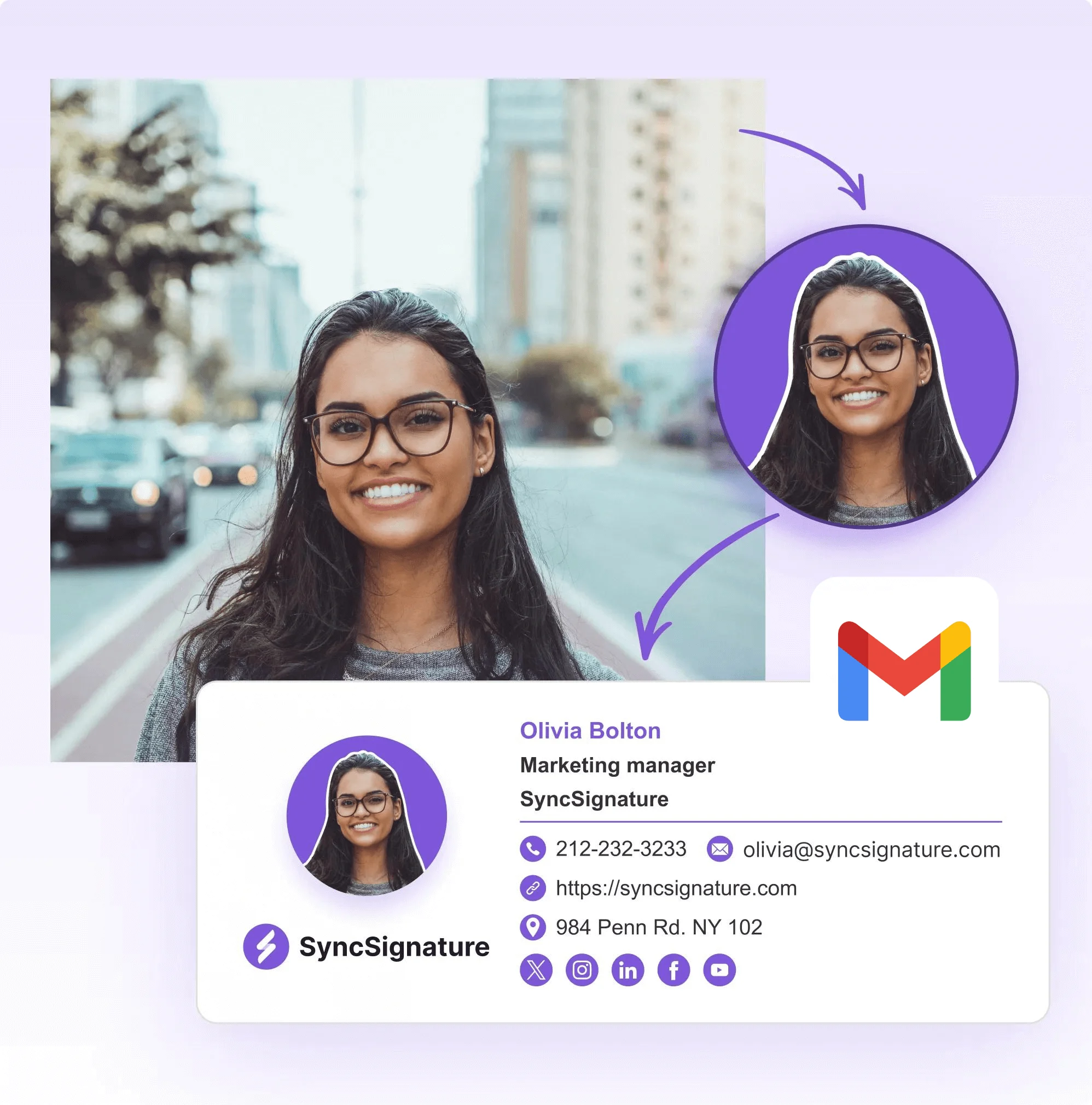
Design your signature template
Create a professional email signature template that matches your brand. Choose from 100+ professionally designed templates or build your own from scratch. No designer or HTML knowledge needed. Customize colors, fonts, layout, logo placement, and social icons to match your company branding.
Import and organize your team
Import employees directly from your Google Workspace directory. Organize users into groups by department, role, location, or brand. Each group can have its own signature template. When you add a new employee to your Google Workspace domain, they automatically get the right signature based on their group.
Deploy signatures with one click
Hit publish and SyncSignature installs email signatures directly into every user's Gmail account through the Google Workspace API. No manual work for employees. No IT intervention required. Signatures go live across the organization in minutes. Update a logo, change a banner, fix a phone number, and push the change to every user instantly.
Design your signature template
Create a professional email signature template that matches your brand. Choose from 100+ professionally designed templates or build your own from scratch. No designer or HTML knowledge needed. Customize colors, fonts, layout, logo placement, and social icons to match your company branding.
Import and organize your team
Import employees directly from your Google Workspace directory. Organize users into groups by department, role, location, or brand. Each group can have its own signature template. When you add a new employee to your Google Workspace domain, they automatically get the right signature based on their group.
Deploy signatures with one click
Hit publish and SyncSignature installs email signatures directly into every user's Gmail account through the Google Workspace API. No manual work for employees. No IT intervention required. Signatures go live across the organization in minutes. Update a logo, change a banner, fix a phone number, and push the change to every user instantly.
Centralized email signature management for Google Workspace
Managing email signatures manually across a growing team is a recurring problem: outdated job titles, broken logos, inconsistent formatting, and employees who never update their signature. IT teams waste hours chasing people to paste new signatures.
SyncSignature solves this with a centralized dashboard purpose-built for Google Workspace. From a single interface, admins can create and edit signature templates for the entire organization, push updates to all users at once, and guarantee every outbound email carries the correct, on-brand signature without employees needing to do anything.
SyncSignature integrates directly with Google Workspace through the Google Workspace Marketplace. No SMTP configuration, no DNS changes, no email rerouting. Your emails stay entirely within Google's infrastructure.

Google Directory sync for automatic signature updates
SyncSignature connects to your Google Workspace directory and pulls user attributes into each signature automatically: full name, job title, department, phone number, office location, profile photo, and custom directory attributes.
When a user's details change in your Google Directory, their email signature updates on the next sync cycle. No manual editing. No stale information. No tickets to IT asking to fix someone's title.
This matters most for organizations with frequent onboarding, role changes, or multiple office locations. The signature always reflects the current state of your directory. New hires get their signature the moment they are added to your Google Workspace domain.

Group-based signatures for departments, roles, and locations
Not every team needs the same email signature. SyncSignature supports group-based signature assignment:
• Create different templates for Sales, Marketing, Legal, Support, or any custom group
• Assign templates automatically based on department, organizational unit, role, or office location
• When an employee moves from Sales to Marketing, update their group and their signature changes with it
• New employees added to a group receive the correct signature automatically
Google Workspace's native “Append Footer” feature is limited to one text-only footer per organizational unit. It cannot differentiate by department, role, or group. It does not support branded HTML signatures. SyncSignature fills this gap with full group-based management that Google Workspace does not offer natively.

Enforce standardized signatures across your organization
Google Workspace lets users edit their own Gmail signatures freely. There is no native way to lock a branded signature or prevent employees from overriding it.
SyncSignature gives admins control over this:
• Deploy standardized, on-brand signatures that stay consistent
• Re-sync signatures regularly to overwrite any manual changes employees make
• Ensure every outbound email includes required legal disclaimers or compliance notices
• Maintain a single source of truth for email branding across the company
For companies in regulated industries such as finance, healthcare, legal, and real estate, this level of control is a compliance requirement, not a nice-to-have.

Let marketing manage signatures without IT involvement
SyncSignature supports delegated access so marketing teams, HR, or department leads can manage email signatures without requiring Google Workspace admin credentials.
Admins retain full control over permissions while giving specific teams the ability to update banners, modify templates, or roll out campaign-specific signatures on their own schedule. This removes the bottleneck of routing every signature change through IT.
100+ professionally designed Gmail signature templates
Choose from a library of professionally designed email signature templates suitable for every industry and company size. Each template is responsive and renders correctly across Gmail, Apple Mail, Outlook, and mobile email apps.
Fully customizable: adjust colors, fonts, layout, logo placement, and social icons to match your brand. Templates support dynamic placeholder fields that auto-fill from your Google Directory, including:
• Company logo and employee headshot
• Social media icon links
• Custom CTA buttons
• Marketing banners
• Legal disclaimers
No HTML or coding required. For teams that need advanced customization, SyncSignature also supports direct HTML editing.
Publish signatures for all Google Workspace users in a single click
The core advantage of using email signature management software for Google Workspace is bulk deployment. SyncSignature deploys signatures directly through the Google Workspace API.
- No manual work for employees
- No IT team intervention required
- Bulk updates in seconds
- Works across all devices: desktop, mobile (Android and iOS), and web
- Change a logo, update a banner, fix a phone number, and push the change to all users instantly
Turn every email into a marketing channel with signature banners
Every email your team sends is an opportunity to promote your business. SyncSignature lets you add marketing banners to email signatures across your entire Google Workspace organization.
Use cases for email signature banners:
• Promotional campaigns and seasonal offers
• Content marketing and blog post distribution
• Hiring and recruitment notices
• Event and webinar announcements
• Awards, certifications, and social proof badges
• Product launches and feature announcements
Update banners across all employees with a single click. No need to coordinate with individual team members. For distributed and remote teams, email signature banners are one of the highest-ROI internal marketing channels available: every employee becomes a brand ambassador without lifting a finger.
SyncSignature includes banner scheduling so you can plan campaigns ahead and have them activate and deactivate automatically.
Manage signatures across multiple Google Workspace domains
For companies that operate multiple brands or subsidiaries under separate Google Workspace domains, SyncSignature supports multi-domain management from a single dashboard. Each domain can have its own brand-specific templates, groups, and deployment settings.
Security and data privacy
SyncSignature is a Google Workspace Marketplace approved app that uses secure Google APIs with OAuth 2.0 authentication.
• We only access the data required for signature management: user directory info and Gmail signature settings
• We never read, store, or access your emails
• Connections to SyncSignature use HTTPS (TLS)
• User data is stored on Amazon Web Services (AWS) infrastructure with standard security practices
• SyncSignature does not route or read email, stores data on AWS in Mumbai, and prepares a DPA on request
Your emails never leave Google's infrastructure. SyncSignature writes signatures directly to Gmail through the API. There is no email rerouting, no SMTP relay, and no third-party processing of your email content.
Why Google Workspace teams choose SyncSignature
vs. Native Google Workspace tools: Google Workspace's “Append Footer” is text-only, limited to organizational units, and cannot create branded HTML signatures. SyncSignature adds visual templates, group-based assignment, directory sync, and one-click deployment that Google does not offer natively.
vs. Enterprise signature tools: Solutions like Exclaimer are built for Microsoft 365 first. Their Google Workspace support is secondary. SyncSignature is built for Google Workspace from the ground up, with native Google Directory sync, Marketplace integration, and API-based deployment that does not require SMTP changes or email rerouting.
vs. Free signature generators: Free generators create one-off signatures but offer no central management, no deployment, no directory sync, and no way to enforce consistency. SyncSignature is email signature management software designed for teams that need ongoing control over signatures, not a one-time tool.
Pricing that works for growing teams: SyncSignature's team plan is $15 a month for up to 5 users, then $2/user/month from 6 users, billed annually, with volume pricing that decreases as your team grows. View pricing.
Email signature management for Google Workspace
Effortlessly manage team email signatures with SyncSignature Google Workspace
signature manager and unlock an engaging marketing channel - No coding or IT
help required. See customer stories | Read reviews
What Our Customers Say About SyncSignature





It makes managing email signatures for the whole team fast and centralized. I don't like chasing people to update their signature. Changes apply automatically. Integration with Google Workspace works without issues.

Alexander B.
Marketing Director
As someone managing multiple businesses using Google Workspaces for emails, having a comprehensive email signature management tool is essential, and SyncSignature has already proven to be the ideal solution.

Christophe
Founder - AI services
Frequently asked questions
You can centrally manage Gmail signatures for all users using SyncSignature. It integrates with your Google Workspace admin domain to deploy and update email signatures for every user automatically. Import users from your Google Directory, assign them to groups, create signature templates, and publish to all users with one click.
Yes. SyncSignature pushes company-approved email signatures to all users in your Google Workspace domain via the Gmail API. Employees don't need to set up, paste, or configure anything manually. Signatures appear in their Gmail compose window automatically.
No. Google rebranded G Suite to Google Workspace in 2020. All G Suite signature management features, APIs, and admin tools now fall under Google Workspace. If you're searching for 'G Suite email signature management' or 'G Suite signature manager,' you're looking for the same functionality. SyncSignature works with all Google Workspace (formerly G Suite) editions.
Google Workspace provides limited signature control. Users can set their own signatures in Gmail settings, and admins can add a text-only 'Append Footer' in the Admin Console compliance settings. However, there's no built-in way to design branded signatures, pull data from the directory, assign templates by department, or prevent users from overriding their signatures. SyncSignature fills this gap.
Not natively. Google Workspace's Append Footer feature only supports per-organizational-unit assignment, and it's text-only. SyncSignature enables full group-based signature assignment. Create different templates for Sales, Marketing, Legal, Support, or any custom group, and assign them automatically.
Google Workspace does not support group-based email signatures natively. The Append Footer feature is limited to organizational units and cannot differentiate by user group, department, or role. SyncSignature adds this capability by letting you create groups, import users from your Google Workspace directory, and assign specific signature templates to each group.
There are two approaches. The manual way: use the Gmail API or a tool like GAM to script signature deployment, but this requires technical expertise and doesn't provide a visual editor or ongoing management. The easier way: use SyncSignature to design templates visually, import users from your directory, and deploy to all users with one click.
Yes. SyncSignature automates the entire signature lifecycle: creation, deployment, and updates. When user details change in your Google Directory, signatures update automatically. When you modify a template or banner, one click pushes the change to all affected users.
Google Workspace doesn't provide a native way to lock individual Gmail signatures. SyncSignature addresses this by regularly re-syncing signatures, effectively overwriting any manual changes employees make. This ensures the company-approved signature is always in place.
The best tool depends on your needs and budget. SyncSignature is purpose-built for Google Workspace with features like one-click deployment, Google Directory sync, group-based templates, and marketing banners, at a price point accessible to startups and mid-size companies, not just enterprises.
Yes. SyncSignature integrates directly with Google Workspace via the Google Workspace Marketplace. Admins connect their domain, sync their user directory, and manage signatures from SyncSignature's dashboard. No SMTP changes, no DNS configuration, no email rerouting.
Yes. SyncSignature lets you create smart signature templates with placeholder fields that auto-fill user-specific data, including name, job title, phone number, department, location, and profile photo, directly from your Google Workspace directory attributes.
Yes. Any updates you make in SyncSignature, including branding changes, new banners, updated templates, or modified user details, can be instantly published to all user signatures across Google Workspace with a single click.
Yes. SyncSignature supports multi-domain management for companies that operate multiple brands or subsidiaries under separate Google Workspace domains. Manage all domains from one dashboard with brand-specific templates.
Yes. SyncSignature supports marketing banners in email signatures. Add promotional visuals, seasonal campaigns, hiring notices, or event announcements and deploy them across all users with one click. Update banners anytime without involving individual employees.
SyncSignature connects to your Google Workspace directory and pulls user information, including name, title, phone, department, and photo, into signature templates. When user details change in the directory, signatures update on the next sync cycle, keeping every signature accurate without manual intervention.
No. SyncSignature works entirely through the Google Workspace API. Signatures are deployed directly to each user's Gmail account without requiring any installation, browser extension, or action from the user.
Yes. SyncSignature is a Google Workspace Marketplace approved app that uses secure Google APIs. We only access the data required for signature management: user directory info and Gmail signature settings. We never read, store, or access your emails.
Yes. SyncSignature offers a free trial with all team features included, so you can test centralized Gmail signature management before upgrading to a paid plan.
SyncSignature is ideal for remote and distributed teams. Signatures are deployed remotely via API, so no physical access to employee devices is needed. New hires get their signature automatically when added to your domain. Updates apply globally, regardless of where employees are located.
Related glossary terms
Deep dives on the concepts behind email signature management, from our glossary.
Client-Side Email Signature
An email signature installed in the user's mail client (Outlook, Gmail, Apple Mail) so it appears during compose and in Sent Items.
Directory Sync (Email Signatures)
Automatic synchronization of employee attributes from Microsoft 365 or Google Workspace directories into email signature templates, so signatures update when employee data changes.
Google Workspace Routing Rules
Admin-configured routing rules in Google Workspace that append a standardized footer or signature to outgoing email at the server level.
Organizational Unit Signature Targeting
Applying different signature templates to different branches of the directory tree, using Google Workspace organizational units or their Microsoft equivalent, rather than assigning templates to individuals.
Get started with Google Workspace signature management
Sign up free and deploy professional, on-brand email signatures across your entire Google Workspace organization. Set up takes minutes, not hours. No credit card required.