
Black Friday 2026: 50% Off SyncSignature Teams
Pay for 1 year of SyncSignature Teams and get 2. Buy any Teams plan and we add a second year at no extra cost. Manage every email signature in your company from one dashboard.

Trusted by 40K+ professionals at 1,200+ companies



How SyncSignature Teams works
Design your signature template
Choose from 100+ professionally designed email signature templates or build your own from scratch. Customize colors, fonts, layout, logo placement, social icons, CTA buttons, and marketing banners. No HTML or design skills required. For teams that need advanced customization, SyncSignature supports direct HTML editing.
Import and organize your team
Import employees from your Google Workspace directory or Microsoft Entra ID (Azure AD). Users are automatically organized by department, role, location, or custom attributes. Assign signature templates to groups. When you add a new employee to your directory, they get the right signature automatically based on their group.
Deploy signatures with one click
Hit publish and SyncSignature installs email signatures directly into every user's email account through the platform's native API. No manual work for employees. No browser extensions to install. Signatures go live across the organization in minutes. Update a logo, change a banner, fix a phone number, and push the change to every user instantly.
Design your signature template
Choose from 100+ professionally designed email signature templates or build your own from scratch. Customize colors, fonts, layout, logo placement, social icons, CTA buttons, and marketing banners. No HTML or design skills required. For teams that need advanced customization, SyncSignature supports direct HTML editing.
Import and organize your team
Import employees from your Google Workspace directory or Microsoft Entra ID (Azure AD). Users are automatically organized by department, role, location, or custom attributes. Assign signature templates to groups. When you add a new employee to your directory, they get the right signature automatically based on their group.
Deploy signatures with one click
Hit publish and SyncSignature installs email signatures directly into every user's email account through the platform's native API. No manual work for employees. No browser extensions to install. Signatures go live across the organization in minutes. Update a logo, change a banner, fix a phone number, and push the change to every user instantly.
Everything included in SyncSignature Teams
Centralized email signature management from a single dashboard
SyncSignature replaces the patchwork of shared documents, email chains, and one-off signature tools that most companies use to manage email signatures. Everything lives in one dashboard:
Create and edit signature templates for the entire organization. Push updates to all users at once. Preview how signatures render across Gmail, Outlook, Apple Mail, and mobile clients before deploying. Maintain a single source of truth for email branding.
For IT teams, this eliminates the recurring burden of signature management: no more tickets, no more chasing employees, no more manual fixes. For marketing teams, it opens a new channel for brand messaging without depending on IT for every change.
You can also manage signatures with your AI assistant through the SyncSignature MCP server.

Directory sync keeps signatures accurate automatically
SyncSignature connects to your employee directory and pulls user attributes directly into each signature: full name, job title, department, phone number, office location, profile photo, and custom directory attributes.
For Google Workspace, SyncSignature syncs with Google Directory. For Microsoft 365, it syncs with Microsoft Entra ID (formerly Azure AD). When a user's details change in your directory, their email signature updates on the next sync cycle. No manual editing. No stale information. No tickets to IT.
This matters most for organizations with frequent onboarding, role changes, or multiple office locations. The signature always reflects the current state of your directory. New hires get their signature the moment they are added to your organization's directory.

Group-based signatures for departments, roles, and locations
Not every team needs the same email signature. SyncSignature supports group-based signature assignment so you can create different templates for different parts of the organization:
Create separate templates for Sales, Marketing, Legal, Support, Engineering, or any custom group. Assign templates automatically based on department, organizational unit, role, or office location. When an employee moves from one team to another, update their group and their signature changes with it. New employees added to a group receive the correct signature automatically.
This is a significant gap in native email platform tools. Google Workspace's “Append Footer” is limited to one text-only footer per organizational unit. Microsoft 365's transport rules apply the same signature to all users in a rule scope without visual customization. SyncSignature provides full group-level control with branded HTML templates.

Turn every email into a marketing channel with banner campaigns
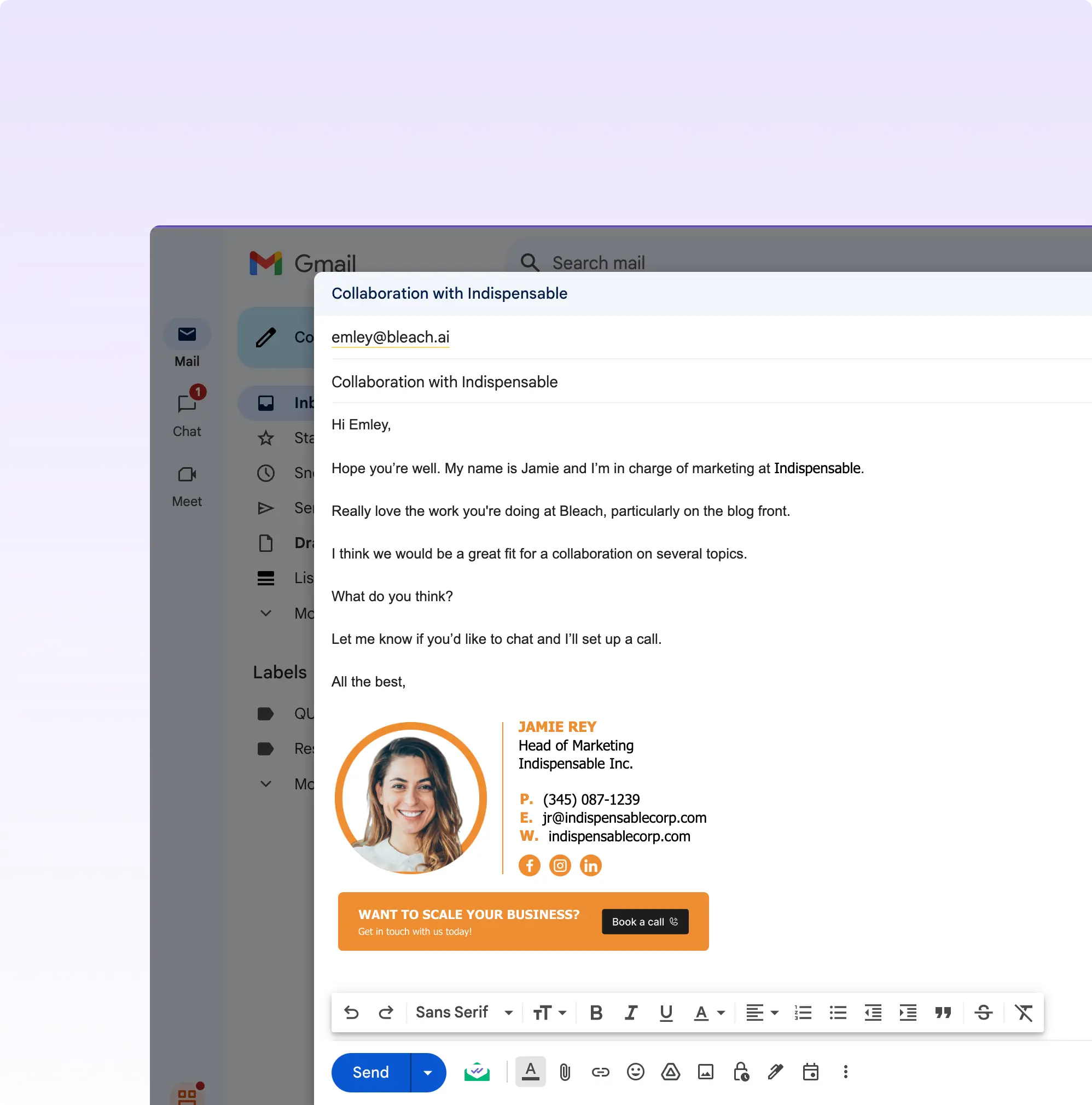
Every email your team sends is an impression. SyncSignature lets you add clickable marketing banners to email signatures across your entire organization and schedule them to activate and deactivate automatically.
Use cases: promotional campaigns and seasonal offers, content distribution and blog promotion, hiring and recruitment notices, event and webinar announcements, product launches and feature releases, awards and certifications, partner announcements.
For a 50-person company sending 40 emails per person per day, that is 2,000 banner impressions daily, targeted at people who already have a business relationship with your organization. Unlike paid advertising, these impressions cost nothing beyond your SyncSignature subscription. Unlike social media, these reach decision-makers directly in their inbox.
SyncSignature includes banner scheduling so you can plan campaigns ahead and have them go live and expire automatically. Update banners across all employees with a single click.
Signature analytics and link tracking
SyncSignature tracks how email signature links and banners perform across your organization:
See which banners get the most clicks. Track link clicks by team, department, or individual user. Measure the ROI of signature-based marketing campaigns. Identify which CTAs drive the most engagement.
This data turns email signatures from a branding exercise into a measurable marketing channel. Marketing teams can compare banners campaign by campaign, optimize CTAs based on click data, and report concrete numbers on signature-driven engagement.
What Our Customers Say About SyncSignature





Professional Email Signatures Made Effortless!
I didn’t realize how messy my email signature looked until I fixed it. SyncSignature helped me set up a clean, professional signature, and now every email I send looks consistent.

Chirag G.
Director - Strategy & Innovation
Great platform! saved us a ton of time!
I love how easy it is to create professional-looking email signatures with SyncSignature. The templates are modern and eye-catching, saving me lots of time. I also like that I can update everyone's signatures in my company at once.

Bratislava V.
Digital Marketer & Copywriter
Made our brand look consistent in every email!
Before this, everyone had slightly different formats and photos. Now every team member’s signature looks perfectly on-brand with logo, colors, CTAs, everything. The setup was super easy, and updates rolled out instantly to all users. It’s one of those small tools that quietly makes your brand look 10x more professional easily.

Anastasia Liamets
Senior Product Marketing Manager
Standard email signatures for our entire company within minutes
I created account, connected my team using Google Workspace and created a beautiful template for our company through which all signatures are created in a jiffy and installed on everyone’s account automatically.

Sara L.
Growth Analyst
Easily integrates with Google Workspace
I got it thinking about enhancing my value proposition to some customers, but I started using it for myself and I love it. I use Google Workspace and so far so good, easy to use, good templates, good customization, 100% recommended.

Sergio Rey
Best email signature management software I found on the internet!
SyncSignature handles email signature creation and bulk updation from a single place for our Google Workspace users. Everything is automated and employees do not have to do anything.

Jinkal P.
Product designer

Email Signature Management For Google Workspace
Deploy professional email signatures across your entire Google Workspace organization. SyncSignature's email signature management software integrates directly with your Google Admin console - create signature templates, assign them to departments or individuals, and push updates without employees lifting a finger. Signatures sync automatically for new hires added to your directory.

Email Signature Management For Microsoft Office 365
Manage company-wide email signatures for Microsoft 365. SyncSignature connects with your Office 365 environment to deploy branded signatures. Control signatures centrally, enforce legal disclaimers, and update everyone's signature from one dashboard - no Outlook plugins required for your end users.
Frequently asked questions
50% off SyncSignature Teams: buy a year of any Teams plan and get a second year free. That's 2 years of Teams for the price of 1.
Buy any Teams plan from our pricing page while the offer runs. There's nothing extra to do at checkout: our team adds the free second year to your account after your purchase.
No. You pay the regular Teams price for one year, and the second year is added to your account for you.
The offer covers Teams plans only. Teams is $15 a month for up to 5 users, billed annually, and larger teams pay by seat band (see the pricing page). The Free, Solo and Enterprise plans are not part of this offer.
The offer runs from November 10 to December 4, 2026. Teams purchases made in that window qualify for the free second year.
You can request a refund within 30 days of your purchase. Email support@syncsignature.com and we'll take care of it.
Yes. You’ll automatically receive a tax invoice by email once your payment is completed.
We take data privacy and security seriously. Your personal data, including headshots and contact information, are stored and transmitted securely. We adhere to data protection regulations to safeguard your information. Your data is only used for the purpose of creating and managing your email signature and headshot, and we will never sell your data.
Ready to supercharge your email signatures?
Get 50% off Teams: buy any Teams plan and your second year is free.