
Free email signature templates
Explore the variety of email signature examples and templates that can be created using SyncSignature.
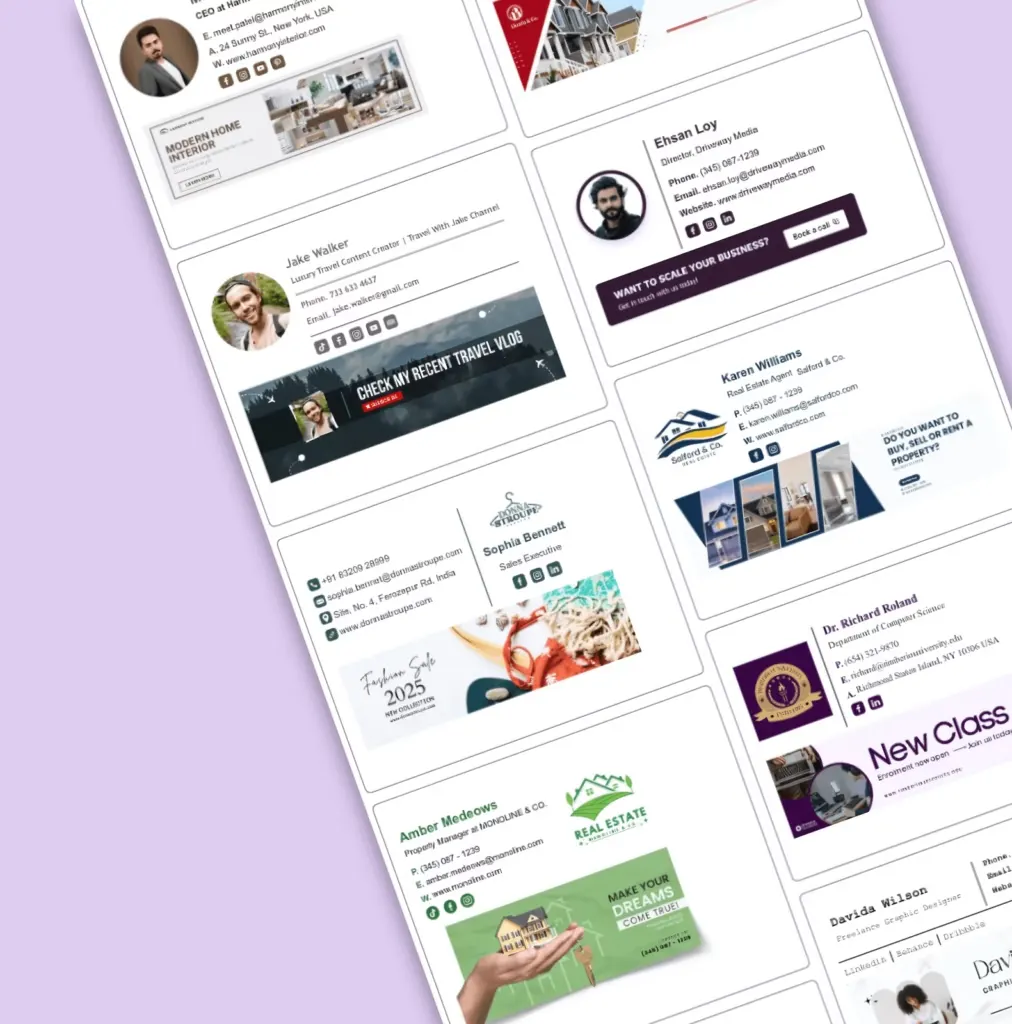











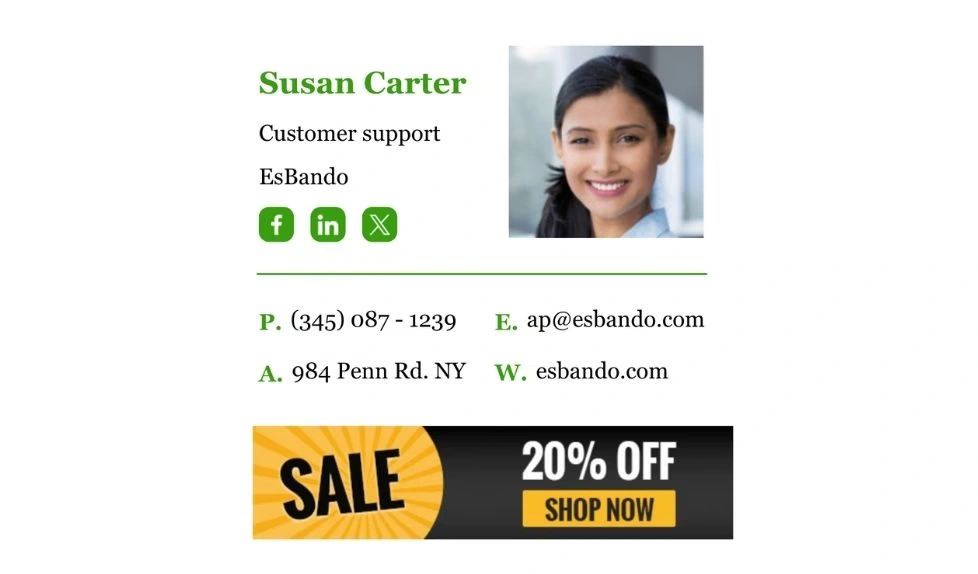
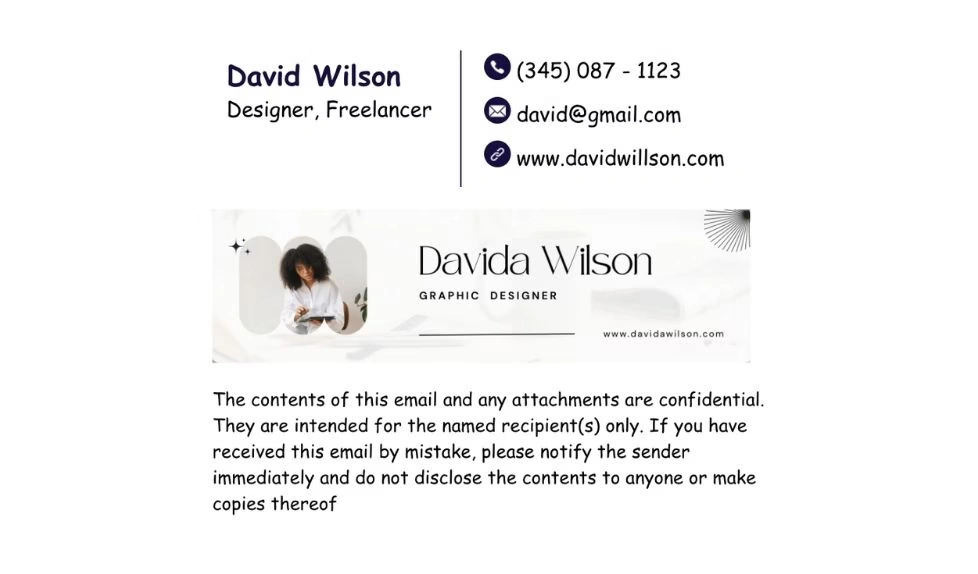
Email signature templates by role
Looking for a template built for your profession? Browse role-specific designs.
Executive templates for CEOs, founders & C-suite leaders
View templatesProfessional templates for educators and school staff
View templatesBuild credibility and make the right impression as a student
View templatesTrust-building templates for real estate agents and brokers
View templatesGmail signature templates
Want to keep your emails looking sharp and on-brand? Check out top-rated email signature designs for Gmail.
More Gmail signature examples
Outlook signature templates
Make every email count. Use this professionally designed Outlook signature templates to stay branded and consistent.
More Outlook signature examples
Apple Mail signature templates
The easiest way to brand your emails. Try this professional Apple mail signature design and upgrade your email game.
More Apple mail signature examples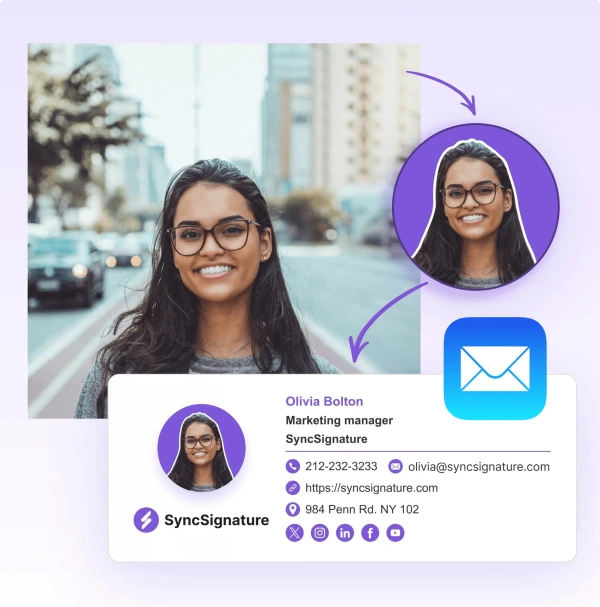
Yahoo signature templates
Tired of plain email endings? Here's a simple Yahoo email signature that keeps your emails looking polished and professional.
Thunderbird signature templates
Want to make a great impression with every email? Use this clean, professional Thunderbird signature to keep your brand front and center.

Trusted by 30K+ professionals at 1,000+ companies


What Our Customers Say About SyncSignature





Professional Email Signatures Made Effortless!
I didn’t realize how messy my email signature looked until I fixed it. SyncSignature helped me set up a clean, professional signature, and now every email I send looks consistent.

Chirag G.
Director - Strategy & Innovation
Great platform! saved us a ton of time!
I love how easy it is to create professional-looking email signatures with SyncSignature. The templates are modern and eye-catching, saving me lots of time. I also like that I can update everyone's signatures in my company at once.

Bratislava V.
Digital Marketer & Copywriter
Made our brand look consistent in every email!
Before this, everyone had slightly different formats and photos. Now every team member’s signature looks perfectly on-brand with logo, colors, CTAs, everything. The setup was super easy, and updates rolled out instantly to all users. It’s one of those small tools that quietly makes your brand look 10x more professional easily.

Anastasia Liamets
Senior Product Marketing Manager
Standard email signatures for our entire company within minutes
I created account, connected my team using Google Workspace and created a beautiful template for our company through which all signatures are created in a jiffy and installed on everyone’s account automatically.

Sara L.
Growth Analyst
Easily integrates with Google Workspace
I got it thinking about enhancing my value proposition to some customers, but I started using it for myself and I love it. I use Google Workspace and so far so good, easy to use, good templates, good customization, 100% recommended.

Sergio Rey
Best email signature management software I found on the internet!
SyncSignature handles email signature creation and bulk updation from a single place for our Google Workspace users. Everything is automated and employees do not have to do anything.

Jinkal P.
Product designer
Frequently asked questions
The best way is to sign up on SyncSignature free email signature generator. Select a professional email signature template of your choice. Update your details, corporate email, company name, add phone numbers. Click save and add to your email client settings.
Our platform automatically optimizes your signature for different screens, ensuring a consistent and professional appearance.
To design the best professional email signature, you should follow best practices of signature design:
- Add only valid contact information
- Add a professional headshot
- Stick to two colors
- Limit social media icons to 5
- Use only websafe fonts that are supported by all email clients
- Contain call to action
To create a professional email signature, use SyncSignature email signature generator with professional email signature templates.
SyncSignature provides you a branded profile picture maker that is well suited to with an email signature design on SyncSignature. This will ensure you have a great online presence.
Email signature templates are pre-designed email signature layouts that let you create professional, branded signatures quickly by adding your name, title, company info, and links, without starting from scratch.
Yes. SyncSignature provides free email signature templates that are modern, mobile-friendly, and work with Gmail, Outlook, Apple Mail, and more.
Pick a template that reflects your brand’s tone - minimal for tech/startups, creative for freelancers, and corporate for formal businesses. SyncSignature offers styles for every industry and role.
Yes. All SyncSignature email signature templates are designed to work seamlessly across major email platforms including Gmail, Outlook (desktop/web), Apple Mail, and mobile clients.
Absolutely. Every template on SyncSignature is fully customizable. You can change fonts, adjust brand colors, add images, links, marketing banners, and social icons with ease.
Yes. SyncSignature templates support images such as company logos, personal photos, and promotional banners. You can drag-and-drop or upload them easily.
Yes. If you're using SyncSignature for a team, you can assign different templates to departments (like Sales vs. Support) or roles (like CEO vs. Intern), while keeping branding consistent.
SyncSignature offers a wide range of professional email signature design templates and examples:
- Minimal email signature examples
- Bold and modern designs
- Corporate/professional templates
- With photo or without photo options
- Formal signature styles
- Creative signature designs
- Promotional Templates with banners or call-to-action buttons
- All templates are downloadable as HTML email signature templates for easy export
Yes. All templates are mobile-optimized to look clean and professional on smartphones, tablets, and desktop email clients.
Freelancers often use personal templates with photos, role descriptions, and portfolio links. SyncSignature has templates tailored for consultants, creatives, and solo professionals.
Yes. After customizing a template, you can copy and download the clean HTML email signature template to paste into your email client. We provide downloadable email signature templates in HTML format that are compatible with Gmail, Outlook, Apple Mail, HubSpot, Salesforce, and any email platform that accepts HTML.
Yes. With SyncSignature’s Teams plan, you can create a branded template once and automatically apply it to every employee’s signature, ensuring consistency across departments.
A strong signature design is clean, well-structured, includes essential contact details, branding, and optional social or promotional links, without being cluttered.
Yes. SyncSignature includes templates designed for industry-specific needs like real estate (with photo), law firms (formal style), tech startups (minimal + modern), and agencies (with banners).
Yes. You can switch templates anytime. Just apply your saved info to a new layout in the SyncSignature editor and export it again.
Yes. You can add a custom disclaimer section at the bottom of any template which is useful for lawyers, finance professionals, and enterprises.
You can simple signup on SyncSignature. Go to Information tab and add your company logo. You can also adjust the size of your company logo that can be visible through email signature preview. Once done, you can simply copy the email signature and paste it in your email client.
Ideally your email signature should not be wider than 600 px. Your images should not be heavy. The total file signature size should be around 15kb. Use SyncSignature email signature examples and customize them with your details to come up with compatible HTML email siganture quickly.
SyncSignature provide professional email signature templates and enough customisation options to create modern email signatures. There are email signature examples you can copy directly on SyncSignature. Use SyncSignature email signature generator is user-friendly and designed for anyone to design a professional HTML email signature quickly.
Email signatures generated through SyncSignature works for all major email clients like Gmail, Outlook, Apple mail, Thunderbird, Yahoo etc. Let us know in case you are looking to add signatures to any specific platform.
SyncSignature recommends the use of web safe fonts. These fonts are supported by all major email clients. So you do not have to worry if your recipient sees the signature with the same font you’ve chosen.
Here is a list of fonts that are used in SyncSignature email signature templates:
- Arial
- Comic Sans MS
- Courier New
- Georgia
- Lucida Console
- Tahoma
- Times New Roman
- Trebuchet MS
- Verdana