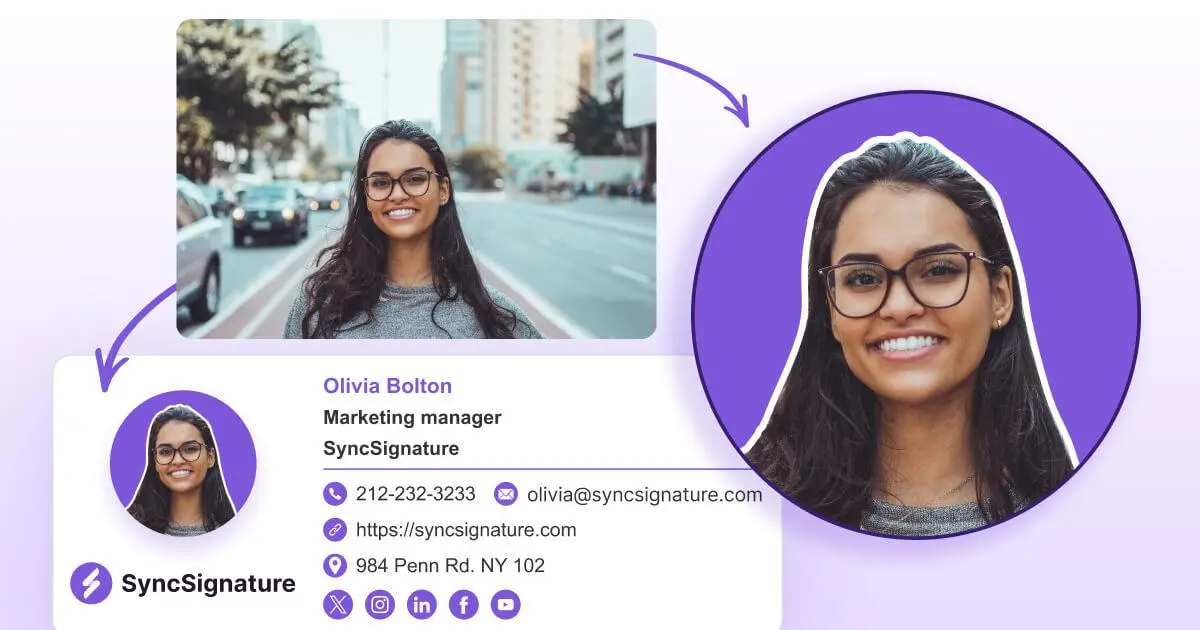
Professional Email Signature
Generator & Management Software
Create professional email signatures in minutes for free. Design with 100+ templates, add your logo and headshot, and install in Gmail, Outlook, or Apple Mail. When your team grows, deploy branded signatures company-wide with our email signature management software.
No credit card needed • Get started in minutes

 4.9/5
4.9/5 4.1/5
4.1/5 5/5
5/5 4.7/5
4.7/5 5/5
5/5
Trusted by 30K+ professionals at 1,000+ companies


Works with Gmail, Outlook, Apple Mail & More


Generate and Manage email signatures at scale
One platform for creating individual signatures and managing them across your entire company. Start with the free email signature generator and upgrade to centralized email signature management when your team needs it.
PERSONAL USE
Free Email Signature Generator

FOR TEAMS
Email Signature Management Software

Powerful Email Signature Generator + Management Features
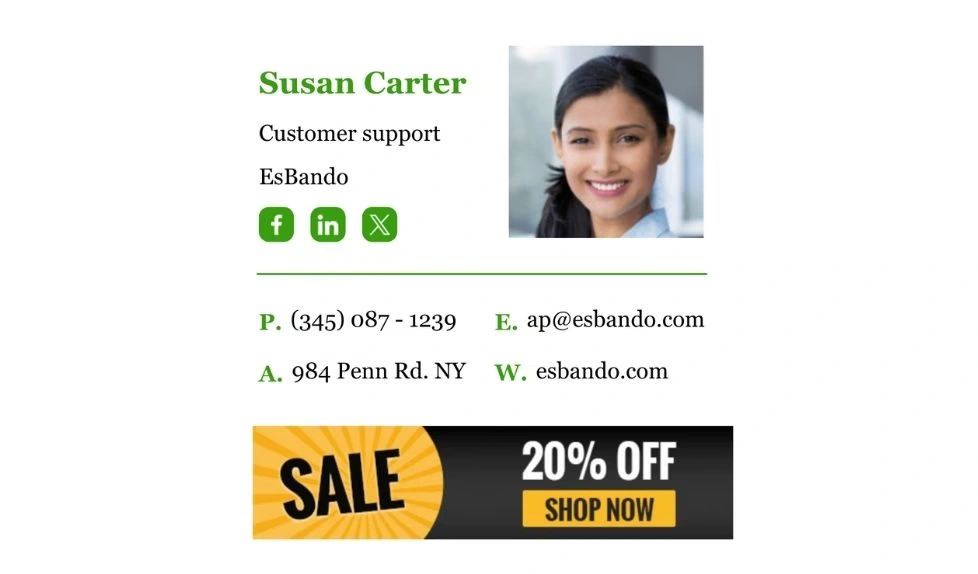
Choose from 100+ professionally designed email signature templates. Filter by style - minimal, creative, professional, or promotional - and customize to match your brand.

Professional Templates
Choose from 100+ professional signature templates to match your style and industry.

Works with Every Email Client
Signatures created with SyncSignature render correctly in Gmail, Outlook, Apple Mail, Yahoo, Thunderbird, and 25+ other email clients - on desktop and mobile.

Full Brand Customization
Add your logo, professional headshot, social media icons, contact details, and banner images. Adjust colors, fonts, and layout to match your brand guidelines.
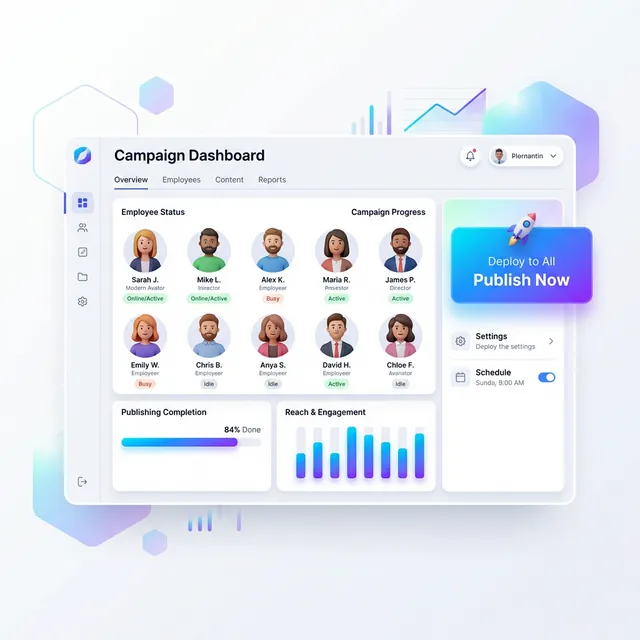
Company-wide deployment
Push branded email signatures to every employee in one click without manual installs, no IT tickets. Deploy via Google Workspace or Microsoft Office 365 with full admin control.

Signature analytics
Track link clicks and banner performance. Know which CTAs and campaigns are driving engagement and optimise accordingly.

Campaign scheduling
Turn every email into a marketing touchpoint. Schedule rotating banners to promote events, offers, or announcements — targeted by team or recipient.
What Our Customers Say About SyncSignature
Professional Email Signatures Made Effortless!
I didn’t realize how messy my email signature looked until I fixed it. SyncSignature helped me set up a clean, professional signature, and now every email I send looks consistent.

Chirag G.
Director - Strategy & Innovation
Great platform! saved us a ton of time!
I love how easy it is to create professional-looking email signatures with SyncSignature. The templates are modern and eye-catching, saving me lots of time. I also like that I can update everyone's signatures in my company at once.

Bratislava V.
Digital Marketer & Copywriter
Made our brand look consistent in every email!
Before this, everyone had slightly different formats and photos. Now every team member’s signature looks perfectly on-brand with logo, colors, CTAs, everything. The setup was super easy, and updates rolled out instantly to all users. It’s one of those small tools that quietly makes your brand look 10x more professional easily.

Anastasia Liamets
Senior Product Marketing Manager
Standard email signatures for our entire company within minutes
I created account, connected my team using Google Workspace and created a beautiful template for our company through which all signatures are created in a jiffy and installed on everyone’s account automatically.

Sara L.
Growth Analyst
Easily integrates with Google Workspace
I got it thinking about enhancing my value proposition to some customers, but I started using it for myself and I love it. I use Google Workspace and so far so good, easy to use, good templates, good customization, 100% recommended.

Sergio Rey
Best email signature management software I found on the internet!
SyncSignature handles email signature creation and bulk updation from a single place for our Google Workspace users. Everything is automated and employees do not have to do anything.

Jinkal P.
Product designer
Everything you need, nothing you don't
Email signature creation, team management, and campaign deployment - in one platform.
Professional signatures, without the HTML headache
Design a polished email signature in minutes using our drag-and-drop editor. Choose from 100+ professionally designed email signature templates, add your logo, headshot, social links, and brand colours, no design skills or HTML knowledge required.
- 100+ templates - minimal, creative, professional, and promotional
- Drag-and-drop editor with live preview
- Add logo, headshot, social icons, banners, and scheduling links
- Every signature is mobile-responsive and tested across 30+ email clients


Create a Custom Email Signature in 3 Simple Steps
Choose your email signature template
Browse our collection of 100+ email signature templates - from minimal to promotional. Find one that matches your style and industry.
Customize with our signature builder
Use our email signature builder to add your logo, headshot, contact details, and social links. Customize colors and fonts to match your brand. See changes in the live preview as you edit.
Install your business email signature
Copy your signature with one click and paste into Gmail, Outlook, or Apple Mail. Or download the HTML to use in any email client.
Choose your email signature template
Browse our collection of 100+ email signature templates - from minimal to promotional. Find one that matches your style and industry.
Customize with our signature builder
Use our email signature builder to add your logo, headshot, contact details, and social links. Customize colors and fonts to match your brand. See changes in the live preview as you edit.
Install your business email signature
Copy your signature with one click and paste into Gmail, Outlook, or Apple Mail. Or download the HTML to use in any email client.
Built for Professionals and Teams
Freelancers & Solopreneurs
Stand out with a polished, clickable free email signature generator. Build credibility with every email. Drive clients to your portfolio and booking page.
→ Create your free signature

Sales Teams
Add Calendly links, personalized banners, and track every click to close more deals.
→ Manage team signatures

Marketing & Agencies
Run banner campaigns, enforce brand rules, and turn every email into a marketing channel.
→ Learn about email signature management

HR & IT Departments
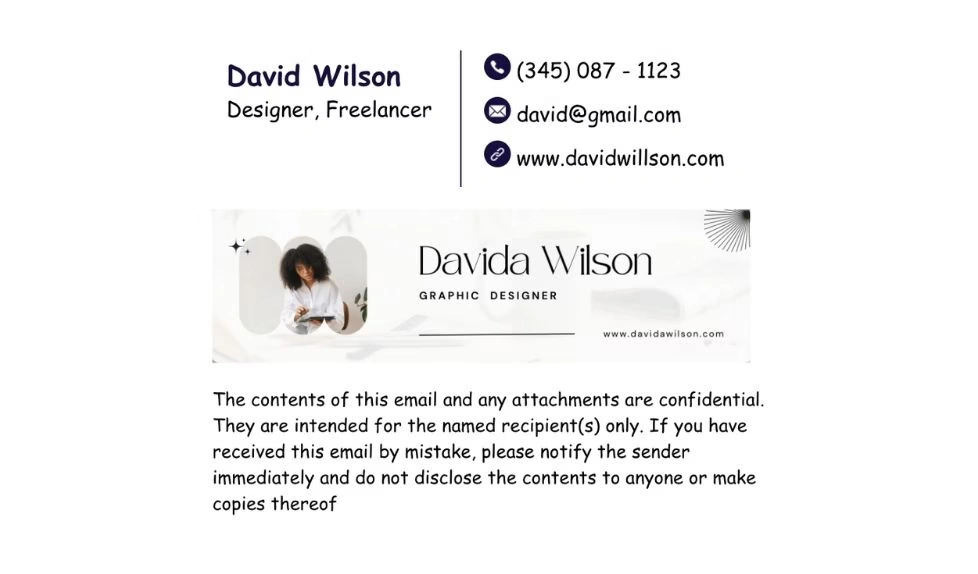
Auto-sync new hires, enforce disclaimers, and update 500+ signatures in one click. Ensure consistent branding and compliance company-wide.
→ See how team management works

Startups & Enterprises
Directory integration with Google Workspace and Microsoft 365 for automatic signature deployment.
→ See how team management works

Consultants & Thought Leaders
Showcase credentials, social proof, and AI-enhanced headshots that build instant trust.
→ Create your free signature












Email Signature Management For Google Workspace
Deploy professional email signatures across your entire Google Workspace organization. SyncSignature's email signature management software integrates directly with your Google Admin console - create signature templates, assign them to departments or individuals, and push updates without employees lifting a finger. Signatures sync automatically for new hires added to your directory.

Email Signature Management For Microsoft Office 365
Manage company-wide email signatures for Microsoft 365. SyncSignature connects with your Office 365 environment to deploy branded signatures. Control signatures centrally, enforce legal disclaimers, and update everyone's signature from one dashboard - no Outlook plugins required for your end users.
Professional email signatures by role
Every profession has different signature needs. Find the template built for yours.
Executive templates for CEOs, founders & C-suite leaders
View templatesProfessional templates for educators and school staff
View templatesBuild credibility and make the right impression as a student
View templatesTrust-building templates for real estate agents and brokers
View templatesFrequently asked questions
Absolutely not! SyncSignature is designed to create professional signatures quickly. SyncSignature features advanced editor and pre-designed templates. Even non-designers can create professional signatures easily with our intuitive interface.
Absolutely! SyncSignature creates signatures optimized for Gmail, Outlook, Apple Mail, Yahoo, and all major email clients. Your signature will look consistent everywhere.
Yes! SyncSignature can be used by the entire team. Everyone can create their signature. However, to create consistent signatures for your entire company and manage multiple team members while maintaining brand consistency, you should consider SyncSignature TEAM plans.
When you create email signature using SyncSignature, you will see step-by-step installation guides for every major email client. Most installations take less than 30 seconds to complete.
SyncSignature free plan is genuinely comprehensive with unlimited signature edits, free templates, and logo uploads included. Paid plans includes more professional templates, signature analytics and other features.
Yes! SyncSignature creates mobile-responsive signatures that look perfect on desktop, tablet, and mobile devices – ensuring professional appearance everywhere.
A well-designed email signature builds brand recognition with every message your team sends. It drives traffic to your website, social profiles, and landing pages. For companies, consistent signatures across all employees reinforce professionalism and create a unified brand experience. Email signature management software like SyncSignature makes this easy to maintain at scale.
Yes! SyncSignature allows you to add your company logo in your email signature. You can add your company logo, personal headshot, or brand elements. We automatically optimize images for better email compatibility.
Yes. Edit your signature anytime and the changes are saved instantly. If you use the SyncSignature Chrome extension, updates sync to Gmail automatically - no need to copy-paste again. For teams using our management software, admins can update every employee's signature from the dashboard in one click.
We take data privacy and security seriously. Your personal data, including headshots and contact information, are stored and transmitted securely. We adhere to data protection regulations to safeguard your information. Your data is only used for the purpose of creating and managing your email signature and headshot, and we will never sell your data. In case you want to delete your account/data immediately, you can request at support@syncsignature.com
Pick a template that fits your role and industry, then add your essential details: name, title, phone, and one or two key links (LinkedIn and your website work for most people). Add a professional headshot — you can create one using our AI headshot generator and your company logo. Keep it clean: the best email signatures are the ones that don't try to include everything.
Email signature management software lets companies control all employee email signatures from one central dashboard. Instead of asking each person to create and install their own signature, an admin designs a template, assigns it to teams or individuals, and deploys it across the organization. SyncSignature integrates with Google Workspace and Office 365 for automatic deployment. Learn more about signature management
Join over 30,000 professionals and Teams at SyncSignature
Use SyncSignature to turn every email into a consistent, branded touchpoint. Start for free and scale when you're ready.
- No credit card needed
- 14 days free trial