
Student Email Signature Examples for College, Graduate, and Internship Communication
Browse 8 student email signature examples for college, graduate, and internship communication, each designed to make the right impression on professors and recruiters. SyncSignature turns any of them into a clean, polished signature in your university Gmail or Outlook, for free.

Trusted by 30,000+ professionals, from fresh graduates to Fortune 500 teams


Student Email Signature Examples
Each example below is a real signature variant designed for students. Click any to load it in the editor and replace the placeholder details with your own.
Undergraduate Student
Clean layout with major, expected graduation year, and university.
Open in editorGraduate Student
Master's-level signature with program, advisor, and department info.
Open in editorPhD Candidate
Includes research focus, lab affiliation, and academic links.
Open in editorMBA Student
Polished business-school layout with cohort year and concentration.
Open in editorInternship Applicant
Recruiter-friendly signature with LinkedIn, portfolio, and target role.
Open in editorResearch Assistant
Lists lab, principal investigator, and current research project.
Open in editorBuild a professional student email signature in minutes
Choose a clean student template
Pick from professional email signature templates designed to look credible without being stuffy. The right template communicates that you're serious, without trying too hard.
Fill in your student details
Add your name, degree (e.g., 'B.Sc. Computer Science, Class of 2026'), university, and any relevant links, LinkedIn profile, portfolio website, GitHub, or personal website. Preview in real time.
Install in your university email
Copy your signature and paste it into your Gmail, Outlook, or university email client. Detailed installation instructions included, setup takes under two minutes.
Choose a clean student template
Pick from professional email signature templates designed to look credible without being stuffy. The right template communicates that you're serious, without trying too hard.
Fill in your student details
Add your name, degree (e.g., 'B.Sc. Computer Science, Class of 2026'), university, and any relevant links, LinkedIn profile, portfolio website, GitHub, or personal website. Preview in real time.
Install in your university email
Copy your signature and paste it into your Gmail, Outlook, or university email client. Detailed installation instructions included, setup takes under two minutes.
Show your degree and expected graduation year
Recruiters and professors want context on who they're talking to. Including your degree program, major, and expected graduation date gives them that instantly, without the recipient needing to ask.
- Degree and major (e.g., 'M.S. Data Science, 2026')
- University name and department
- Expected graduation year
- GPA, honors, or distinction (optional, for academic correspondence)
Link to your portfolio, LinkedIn, and GitHub
Your email signature is a living link to your work. SyncSignature lets you add clickable links to your LinkedIn profile, portfolio website, GitHub, Behance, or any other professional platform, formatted as clean icons or text links. Recruiters can click directly from your signature to your full LinkedIn profile, where they see your complete work history, recommendations, and education.
- LinkedIn profile (critical for job applications)
- Portfolio or personal website
- GitHub for CS/engineering students
- Behance or Dribbble for design students

Stand out when emailing internship contacts
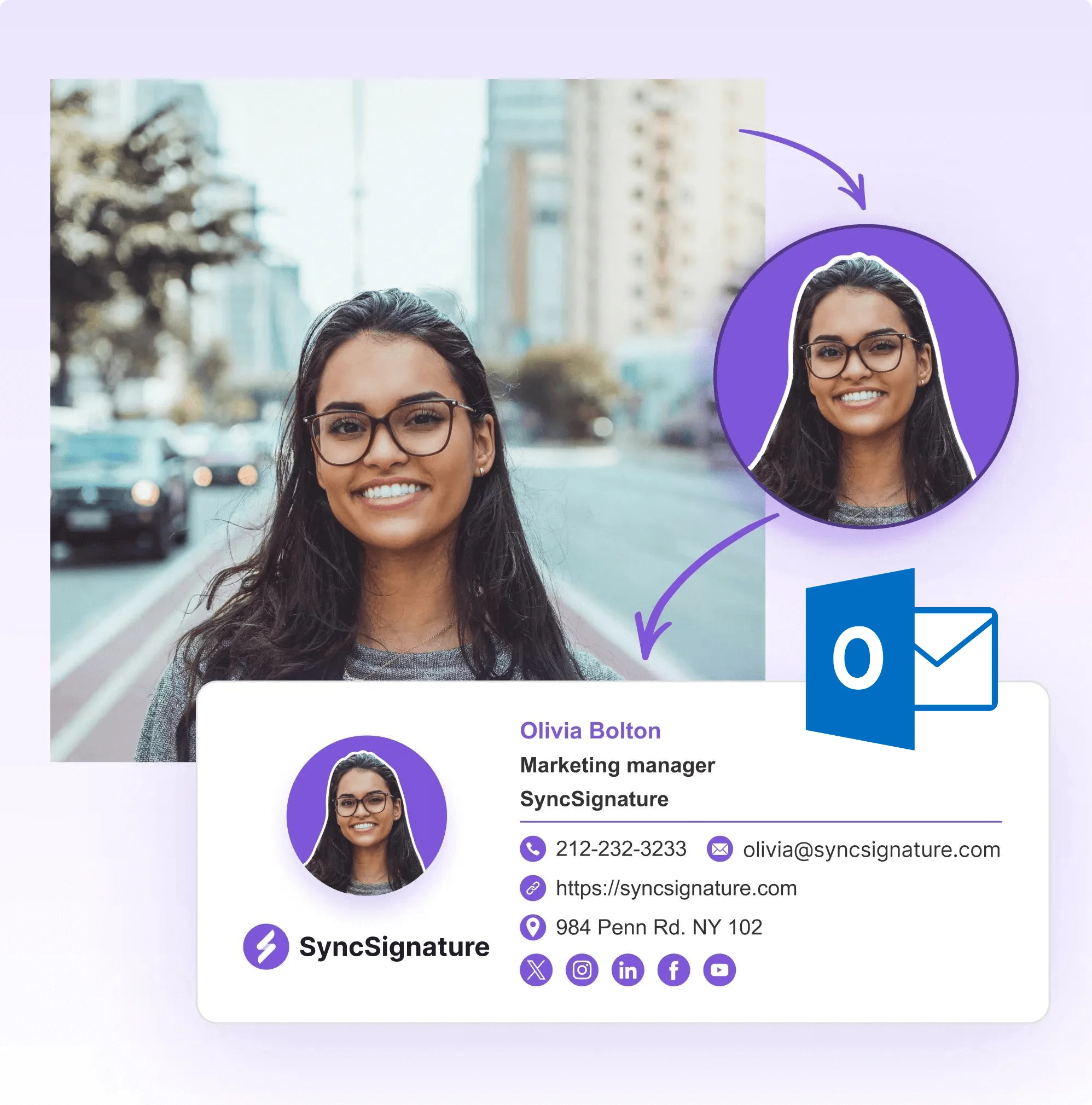
Most students send emails with no signature. Or a bare-bones auto-generated one. A clean, professional signature with your photo, degree, and links signals that you're serious about your career. It's one of the easiest professional upgrades you can make. When reaching out to internship contacts, your email signature is often the deciding factor. Recruiters and hiring managers receive dozens of emails daily, a professional signature instantly differentiates you. It shows attention to detail, professionalism, and genuine interest in the opportunity.
- Professional headshot (optional but recommended)
- Consistent identity across all professional emails
- Easy to update when you change programs or graduate
- Looks great on mobile. Where most recruiters read email
- Phone number and LinkedIn. Make it easy for recruiters to reach back
Works with your university email system
Whether your university uses Google Workspace for Education, Microsoft 365, or another system, SyncSignature signatures install cleanly. We include instructions for every major email client so there's no guesswork.
- Google Workspace for Education (university Gmail)
- Microsoft 365 / Outlook (common at many universities)
- Apple Mail
- Any IMAP-based university email

Not a Student? Email Signatures for Job Seekers and Career Changers
If you've already graduated and are actively hunting for your first role or making a career change, the student email signature guide may not fully address your situation. The email signature guide for job seekers covers how to position yourself as a professional between roles, what title to use when you're not currently employed, how to frame your LinkedIn and portfolio for recruiters, and how to avoid common mistakes that make job search emails look desperate. Student and job seeker audiences have overlapping but distinct needs, and SyncSignature has purpose-built guidance for both.
- Position yourself confidently between roles
- LinkedIn, portfolio, and target-role framing for job applications
- Guidance for career changers and experienced professionals
- Free templates tailored to active job seekers
What Our Customers Say About SyncSignature





Verified User
I used SyncSignature to create a signature for my internship applications. Recruiters actually mentioned it looked professional. Definitely helped me stand out.
Aditya P.
Computer Science Student, University of Michigan
Verified User
Clean templates and super easy to set up. I added my LinkedIn and portfolio links and it looks great in Gmail. Free too, can't ask for more as a student.
Emma R.
MBA Student
Verified User
Used this for my final year project emails and internship applications. Simple, professional, and works perfectly in Outlook which my university uses.
Carlos M.
Final Year Engineering Student
Frequently asked questions
Yes. Especially when emailing professors, academic staff, career services, or recruiters. A professional email signature immediately communicates who you are and shows that you take professional communication seriously. It also saves recipients from having to look you up, and makes it easier for them to contact you back or visit your LinkedIn or portfolio.
At minimum: your full name, degree program and expected graduation year, and university. Optionally add a LinkedIn profile link, portfolio URL, and phone number. A professional photo is a nice touch for networking emails. Avoid adding your class schedule, GPA (unless applying for academic positions), or personal social media.
Yes. SyncSignature's free plan gives you a fully professional email signature with templates, photo support, links, and more, no credit card required. It's completely free for individual use.
Create your signature in SyncSignature, then copy it. In Gmail, go to Settings (gear icon) → See all settings → General → Signature → New. Paste your signature and save. The formatting will carry over correctly. The whole process takes about two minutes.
In the Outlook desktop app, go to File → Options → Mail → Signatures. Click New, give it a name, then paste your SyncSignature content into the editor. In Outlook on the web (office.com), go to Settings → Mail → Compose and reply. SyncSignature's HTML copies cleanly into all Outlook versions.
Generally no, unless you're applying for academic scholarships, fellowships, or research positions where academic achievement is a primary criterion. For most professional communications, internships, networking, career emails, skip the GPA. Focus on your degree, university, and links to your actual work.
Yes, and it's recommended for networking and internship applications. Use a clean headshot, well-lit, professional background, and dressed appropriately for the industry you're targeting. SyncSignature lets you upload your photo and it'll be formatted correctly in the signature.
For fresh graduates, include your new degree (e.g., 'B.A. Marketing, XYZ University, 2026'), your phone number, LinkedIn URL, and portfolio link if applicable. If you've started a new job, switch to your professional title instead. SyncSignature makes it easy to update your signature as your career progresses.
No. Student ID numbers are for internal university administrative purposes. Not for external communications. Don't include them in your email signature.
Log in to SyncSignature, edit your signature to reflect your new role and title, and re-copy it into your email client. It takes two minutes. You can also save multiple signature versions, one for your student email and one for job applications.
At minimum: your full name, degree program and expected graduation year, and university. Optionally add a LinkedIn profile link, portfolio URL, and phone number. A professional photo is a nice touch for networking emails. Avoid adding your class schedule, GPA (unless applying for academic positions), or personal social media. For internship hunters: include LinkedIn, portfolio/GitHub, and phone number prominently. For research/academic emails: add your department and research focus. The key is making it easy for recruiters, professors, or contacts to reach you and learn more about you in seconds.
A professional email signature significantly increases your chances in internship applications. It creates a strong first impression, when you email a recruiter, your signature is often the first sign of professionalism they see. It signals maturity and shows you've thought about your professional brand. Most student competitors don't have one, so you stand out immediately. Recruiters can also click your LinkedIn or portfolio directly from your email, making it easy to learn about you. A consistent signature across multiple follow-up emails also builds recognition and professionalism throughout the application process.
Our student email signature guide covers everything from what to include as a university student to tips for internship and job application emails. For schools and universities managing signatures at scale, see education email signature management.
Create your free student email signature
Look professional in every email to professors, recruiters, and contacts. Free, no credit card required.