
Teacher Email Signature Examples for Educators and School Staff
Browse 8 teacher email signature examples for K-12, college, and university educators, each built to communicate your role, subject, and school clearly. SyncSignature turns any of them into a polished signature in minutes, no design skills required.

Trusted by 30,000+ professionals including teachers, professors, and school administrators


Teacher Email Signature Examples
Each example below is a real signature variant designed for educators and school staff. Click any to load it in the editor and replace the placeholder details with your own.
K-12 Teacher
Classroom-friendly layout with subject, grade level, and school contact info.
Open in editorCollege Professor
Formal layout with department, office hours, and academic credentials.
Open in editorSubstitute Teacher
Flexible signature that lists multiple schools or districts you cover.
Open in editorTeaching Assistant
Designed for TAs and graduate instructors, lists course, professor, and office hours.
Open in editorSchool Counselor
Includes confidentiality notice and direct line for student and parent outreach.
Open in editorDepartment Head
Authoritative layout for department leads and curriculum coordinators.
Open in editorCreate your teacher email signature in 3 steps
Pick a teacher-friendly template
Choose from professionally designed email signature templates. Clean, readable layouts that look great in school email systems, Gmail, Outlook, and parent-facing communications.
Add your details
Enter your name, title (e.g., 'Grade 5 Teacher', 'Professor of English'), school or university, subject area, phone number, office hours, and a professional photo. Everything updates live as you type.
Copy and install in minutes
Copy your signature with one click and paste it into Gmail, Outlook, Apple Mail, or your school's email system. Step-by-step instructions included for every major email client.
Pick a teacher-friendly template
Choose from professionally designed email signature templates. Clean, readable layouts that look great in school email systems, Gmail, Outlook, and parent-facing communications.
Add your details
Enter your name, title (e.g., 'Grade 5 Teacher', 'Professor of English'), school or university, subject area, phone number, office hours, and a professional photo. Everything updates live as you type.
Copy and install in minutes
Copy your signature with one click and paste it into Gmail, Outlook, Apple Mail, or your school's email system. Step-by-step instructions included for every major email client.
Include your credentials and subject area
Teachers communicate with parents, students, administrators, and external contacts daily. Your signature should clearly show who you are, your full name, title, subject or grade level, and school. SyncSignature lets you customize every field and choose from layouts that keep it professional without being overwhelming.
- Name and title (e.g., 'Ms. Johnson | 4th Grade Teacher')
- School name and department
- Subject area or grade level
- Office hours or availability note
Add a professional photo
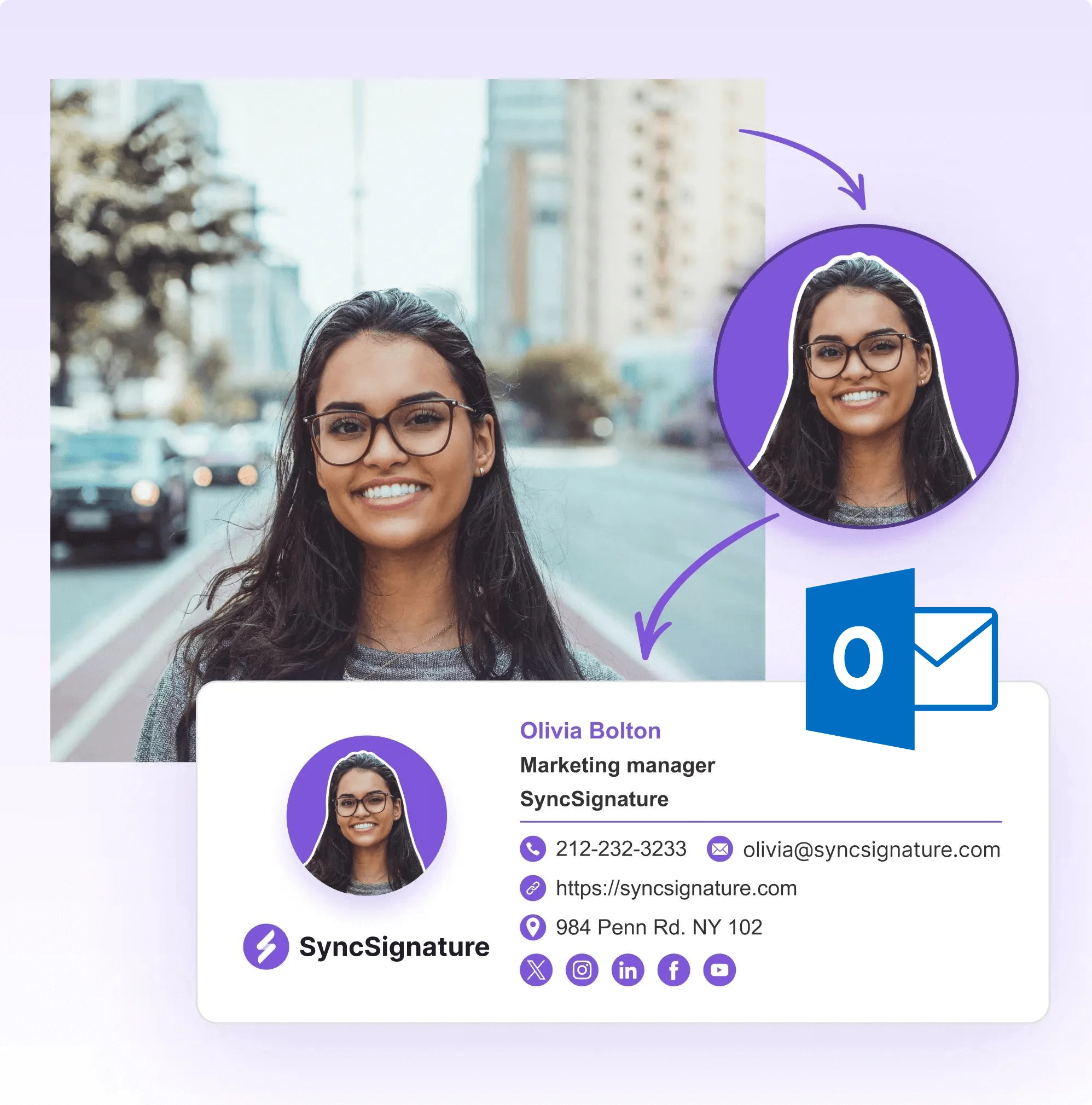
A headshot makes your emails feel personal. Especially important when building trust with parents and students who may not know you yet. SyncSignature supports professional photo uploads directly in the signature editor, sized and formatted perfectly for email.
- Upload and crop your headshot in the editor
- Choose circular or square photo styles
- Looks great on mobile and desktop
- Helps parents and students recognize you instantly
Works in every email system schools use
Whether your school runs Google Workspace for Education, Microsoft 365, or another mail platform, SyncSignature signatures install cleanly. We provide exact copy-paste instructions for Gmail, Outlook, Apple Mail, and more, so setup takes under two minutes.
- Google Workspace for Education (Gmail)
- Microsoft 365 / Outlook
- Apple Mail
- Any IMAP/SMTP email system

Promote school events, classroom links, or resources
Your email signature is prime real estate. Add a promotional banner, link to your class website or Google Classroom, or share upcoming event details. Change the banner seasonally without redesigning your whole signature.
- Link to your classroom website or LMS
- Add a banner for upcoming school events
- Include links to parent resources or newsletters
- Update banners without changing the main signature

Email Signature for Elementary School Teachers
Elementary school teachers communicate primarily with parents, school administrators, and support staff. A professional email signature signals to parents that you're organized, trustworthy, and accessible. Including your grade level, school name, room number, and phone number makes parent communication more efficient, and helps families instantly identify who they're hearing from. Parent-teacher communication happens constantly around report cards, behavior updates, school events, and homework. A clear, professional signature removes friction from every interaction.
- Grade level and classroom designation (e.g., 'Grade 3, Room 12')
- School phone number and extension
- Parent communication preferences
- Link to classroom website or school portal

Email Signature for High School Teachers
High school teachers communicate with students, parents, administrators, and increasingly with external organizations for extracurricular activities and college placement. Your email signature should communicate your subject, department, and any leadership roles, department head, club advisor, coach, that give context to the communication. For AP, IB, and dual-enrollment courses, noting those credentials in your signature helps students and parents understand your qualifications.
- Subject and department (e.g., 'AP Chemistry, Science Department')
- Grade levels taught or homeroom designation
- Extracurricular advisor or coaching role
- Department head or leadership title if applicable
Professional Educator Email Signature Templates
Education is a broad profession. Department heads, school counselors, principals, instructional coaches, and curriculum directors all have communication needs that differ from classroom teachers. SyncSignature offers templates and customization options for educators at every level, whether you're a first-year teacher or a district-level administrator. Your email signature should reflect your specific role and the audiences you communicate with most.
- Department heads and subject coordinators
- School counselors and social workers
- Principals, vice-principals, and administration
- Instructional coaches and curriculum specialists
What Our Customers Say About SyncSignature





Verified User
I set up my teacher email signature in less than 10 minutes. Parents comment on how professional it looks. Highly recommend to other teachers.
Sarah M.
Elementary School Teacher
Verified User
Finally a tool that makes it easy to add a proper email signature without needing to know HTML. Clean, simple, and free.
James T.
High School English Teacher
Verified User
I needed something that included my academic credentials clearly. SyncSignature let me customize every field. Works perfectly in my university Outlook.
Dr. Priya K.
University Professor
Frequently asked questions
A teacher email signature should include your full name, job title (grade, subject, or position), school name, and contact information (phone, email). You can also add a professional photo, school logo, links to your class website or LMS, and a note about office hours or communication preferences. Keep it clean and professional, parents and administrators will see it on every email.
Yes. SyncSignature has a free plan that lets individual teachers create a fully professional email signature with all core features, templates, photo, contact details, and social links. Paid plans are available if you want premium templates or banner ads, but the free plan is completely functional for individual educators.
Create your signature in SyncSignature, then copy it with one click. In Gmail, go to Settings → See all settings → General → Signature, click 'Create new', and paste. SyncSignature provides step-by-step instructions with screenshots, the whole process takes about two minutes.
In Outlook, go to File → Options → Mail → Signatures, then click 'New' to create a signature and paste from SyncSignature. If your school uses Microsoft 365 web app (Outlook.com), go to Settings → Mail → Compose and reply, then add your signature. SyncSignature generates HTML that pastes cleanly into all versions of Outlook.
Yes. SyncSignature lets you upload a professional headshot directly in the editor. Your photo will be sized and formatted correctly so it displays well on all devices. Using a photo helps parents and students feel a personal connection, which is especially useful at the start of a school year when people are getting to know you.
It depends on your role and school policy. A personal Facebook or Instagram profile is generally inappropriate for teacher signatures. However, a school-specific Twitter/X account you use for classroom updates, a LinkedIn profile, or a link to your class website or Google Classroom are all reasonable additions. When in doubt, check your school's email policy.
Yes. SyncSignature has team and company plans that let IT administrators or school leadership set up consistent email signatures across all staff, teachers, support staff, and administrators, from one central dashboard. Signatures can be pushed to Google Workspace or Microsoft 365 automatically, without teachers needing to set anything up themselves.
Use a clean, readable font like Arial, Calibri, or Helvetica at 10–12pt. Keep the design simple, teaching is a professional role, so the signature should be businesslike rather than decorative. SyncSignature templates are pre-designed with these best practices built in, so you don't have to make those decisions yourself.
Yes. SyncSignature lets you add custom text lines to your signature. You can include something like 'Office Hours: Mon/Wed 3–4pm, Room 12' or a link to a scheduling tool if you use one. This reduces back-and-forth emails asking when you're available.
The key is balance. Include your key details (name, title, school, contact), a professional photo, and your school colors if possible. Avoid overly decorative fonts, too many colors, or excessive icons. SyncSignature's teacher-friendly templates are pre-balanced, they look professional without feeling corporate or stuffy.
Our professional email signatures guide includes best practices that apply to teachers and educators, from what to include to design tips that work across Gmail and Outlook.
Create your free teacher email signature today
Professional templates for educators. Works with Gmail, Outlook, and school email systems. Free to create.