
Realtor Email Signature Examples for Real Estate Agents and Brokers
Browse 10 realtor email signature examples for real estate agents and brokers, each built with license number, headshot, brokerage branding, and the elements that build trust with buyers. SyncSignature lets you turn any of them into a polished signature in minutes.

Trusted by 30,000+ professionals including real estate agents, brokers, and property managers


Realtor Email Signature Examples
Each example below is a real signature variant designed for real estate professionals. Click any to load it in the editor and replace the placeholder details with your own.
Buyer's Agent
Trust-building layout with headshot, license number, and direct phone.
Open in editorListing Agent
Includes featured listing banner and quick links to active properties.
Open in editorBroker
Authoritative signature with broker license, brokerage logo, and team contact.
Open in editorTeam Lead
Designed for real estate teams, lists team name, team members, and shared phone.
Open in editorLuxury Realtor
Premium layout with refined typography, portfolio link, and certifications.
Open in editorCommercial Real Estate
B2B signature with CRE specialty, transaction volume, and LinkedIn.
Open in editorCreate your realtor email signature in 3 easy steps
Choose a real estate template
Browse professional email signature templates designed for agents and brokers. Pick one that matches your brokerage's branding or your personal style, then customize it completely.
Add your agent details
Enter your name, title (Realtor®, Buyer's Agent, Listing Specialist, Broker), brokerage name, license number, phone, and website. Upload your headshot and brokerage logo. Preview in real time.
Install and start sending
Copy your signature and install it in Gmail, Outlook, or your real estate CRM's email tool. SyncSignature provides instructions for all major email clients, setup takes two minutes.
Choose a real estate template
Browse professional email signature templates designed for agents and brokers. Pick one that matches your brokerage's branding or your personal style, then customize it completely.
Add your agent details
Enter your name, title (Realtor®, Buyer's Agent, Listing Specialist, Broker), brokerage name, license number, phone, and website. Upload your headshot and brokerage logo. Preview in real time.
Install and start sending
Copy your signature and install it in Gmail, Outlook, or your real estate CRM's email tool. SyncSignature provides instructions for all major email clients, setup takes two minutes.
Include your license number and credentials
In many states, displaying your real estate license number in communications is legally required. SyncSignature makes it easy to add your license number, designations (ABR, CRS, GRI, SRES), and Realtor® status in a clean, visible format.
- Real estate license number (state-required in many jurisdictions)
- Professional designations (ABR, CRS, GRI, CRB, SRES)
- Realtor® trademark usage
- Brokerage name and MLS affiliation
Your headshot and brokerage logo
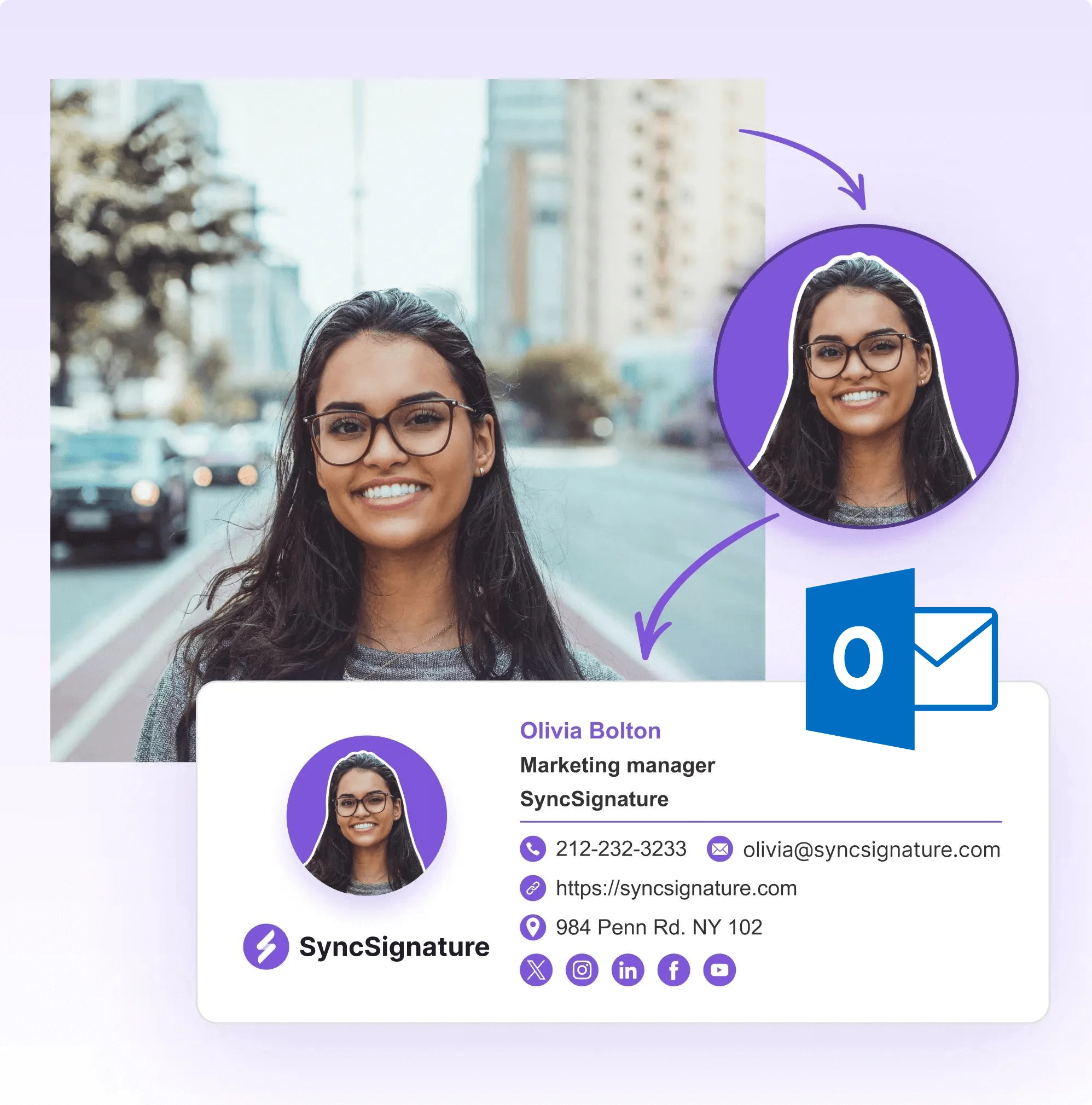
In real estate, you are the brand. A professional headshot builds recognition and trust, especially in markets where clients may be searching multiple agents. Add your photo alongside your brokerage logo for a signature that looks polished and authoritative.
- Professional headshot upload and cropping
- Brokerage logo. Size and position controlled
- Photo and logo display correctly on mobile
- Build personal brand alongside company branding
Link to your listings and real estate profiles
Every email is an opportunity to drive traffic to your active listings, Zillow or Realtor.com profile, and review pages. SyncSignature lets you add clickable links and buttons directly in your signature.
- Link to active MLS listings or listing website
- Zillow Premier Agent profile
- Realtor.com agent profile
- Google reviews or Yelp

Promote open houses and new listings with signature banners
Change your signature banner to announce an open house, a new listing, or a sold property, without redesigning your whole signature. Banner updates take seconds and apply to all future emails.
- Open house announcement banners
- New listing or price reduction promotions
- Just sold announcements
- Seasonal market report promotions

Real Estate Email Signature Templates, Find Your Perfect Layout
Real estate professionals come in many forms. Solo agents, team leads, buyer's specialists, listing agents, luxury brokers, and newly licensed agents all need different signature styles. SyncSignature offers templates that work for each. A solo agent's signature might lead with their personal brand and headshot. A luxury broker's signature emphasizes exclusivity and market expertise. A team lead's signature references the team name alongside the brokerage. Whatever your role, find the layout that best represents your real estate brand.
- Solo agent templates: personal brand-forward design
- Team lead templates: team name and brokerage branding
- Luxury broker templates: premium, minimalist layouts
- New agent templates: clean, professional, credential-forward
Realtor® Email Signature Branding, Trademark and Designation Display
The Realtor® trademark is one of the most recognized marks in the real estate industry, but it comes with usage requirements. As a member of the National Association of Realtors (NAR), you're entitled to use the Realtor® mark, but it must be used as an adjective (not a noun) and with the registered trademark symbol. Beyond the Realtor® mark, professional designations like ABR (Accredited Buyer's Representative), CRS (Certified Residential Specialist), GRI (Graduate, Realtor® Institute), and SRES (Seniors Real Estate Specialist) signal specialized expertise that differentiates you from generalist agents.
- Realtor® mark: use with ® symbol, as an adjective
- ABR (Accredited Buyer's Representative)
- CRS (Certified Residential Specialist)
- GRI (Graduate, Realtor® Institute)
- SRES (Seniors Real Estate Specialist)
Email Signature for Realtors With Headshot, Why It Matters More in Real Estate
In most professional contexts, a headshot in an email signature is optional. In real estate, it's almost mandatory. Real estate is fundamentally a relationship and trust business, buyers and sellers are making the largest financial decisions of their lives, often with someone they've met only once or twice. Your headshot builds familiarity before meetings, during email threads, and especially in digital-first markets where buyers search online before ever meeting in person. Agents with professional headshots in their email signatures build recognition faster and are more likely to be remembered by clients who are shopping multiple agents.
- Build client recognition before the first showing
- Stand out in markets where buyers research agents online first
- Professional headshot upload and formatting in the editor
- Circle or square photo format options
- Displays correctly on mobile and desktop
What Our Customers Say About SyncSignature





Verified User
I've tried other signature tools but SyncSignature was the easiest. I got my headshot, brokerage logo, and license number all in one clean signature. Clients always comment on how professional my emails look.
Jennifer L.
Realtor®, Century 21
Verified User
Set up signatures for my whole team in an afternoon. Everyone has consistent branding now. Much better than each agent doing their own thing.
Mark D.
Real Estate Broker
Verified User
The banner feature is a game changer. I update it every time I have a new listing or open house. Easy to use and looks great on mobile.
Sandra W.
Buyer's Agent
Frequently asked questions
A realtor email signature should include: full name and professional title (Realtor®, Buyer's Agent, Listing Specialist), brokerage name, real estate license number (required in many states), cell phone number, website or listing portal link, professional headshot, and brokerage logo. Optionally add links to your Zillow/Realtor.com profile and a promotional banner for current listings.
Requirements vary by state. Many U.S. states and Canadian provinces require real estate agents to display their license number in all advertising and communications, which can include email. Check with your state's real estate commission and your brokerage's compliance policy. SyncSignature makes it easy to include the license number in a clean, visible format.
Yes. If you're a licensed member of the National Association of Realtors (NAR). The Realtor® trademark must be used correctly: as an adjective (not a noun), with the registered trademark symbol. Use 'Realtor®' after your name or title. SyncSignature lets you type the trademark symbol directly in the editor.
In SyncSignature's editor, use the logo upload field to add your brokerage logo. Upload the logo file (PNG or JPG), resize it to the appropriate dimensions, and position it in the signature. The logo will display correctly across Gmail, Outlook, and mobile clients.
Yes. Real estate is a relationship business and buyers/sellers are trusting you with major financial decisions. A professional headshot builds familiarity and trust before you've even met in person. Keep it professional, wear what you'd wear to a client meeting, use a clean background, and make sure lighting is good.
Yes, and you should. SyncSignature lets you add custom link buttons or text links in your signature. You can link to your personal website listings page, your Zillow Premier Agent page, your Realtor.com profile, or a specific featured property. This turns every outgoing email into a soft marketing touch.
Yes. SyncSignature supports multi-line custom text, so you can add a disclaimer below your main signature. A common real estate disclaimer might read: 'Licensed Real Estate Agent | [License #] | [Brokerage] is licensed in [State].' Check with your brokerage compliance officer for exact required language.
SyncSignature's team plans let brokerage managers and team leaders set up consistent email signatures for all agents, with locked brokerage branding and individual agent details (name, phone, headshot). Agents get their own personalized signature without being able to break the branding rules. Contact us for team pricing.
Most real estate agents use Gmail (via Google Workspace), Microsoft Outlook, or Apple Mail. Many CRMs like Follow Up Boss, KvCORE, and LionDesk also support custom email signatures. SyncSignature provides installation instructions for all major email clients.
Update your signature whenever your contact information, title, or brokerage changes. Use the banner feature to update promotional content (open houses, new listings) regularly. Review your signature at least every 6 months to ensure all information is current and links still work.
You don't need a photographer. SyncSignature's free AI headshot generator transforms a regular photo into a professional headshot in seconds. You can also use the profile picture maker to crop, adjust, and polish your photo before adding it to your signature.
Yes. For brokerages and real estate teams, SyncSignature offers email signature management for real estate teams. Centrally deploy consistent agent signatures with headshots, license numbers, and brokerage branding across your entire office.
Our business email signature guide covers best practices that apply to real estate professionals, from what to include to design tips that help build trust with clients and drive referrals.
Create your professional realtor email signature today
Templates for real estate agents and brokers. Include your license number, headshot, and brokerage logo. Free to start.