
Email Signature Management Software
Centrally create, deploy, and update email signatures for every employee in your organization. SyncSignature gives IT and marketing teams a single dashboard to manage signatures across Google Workspace and Microsoft 365 with directory sync, group-based templates, banner campaigns, and analytics.




The most powerful email signature creator trusted by 30,000+ professionals across 1000+ businesses


How SyncSignature works
Design your signature template
Choose from 100+ professionally designed email signature templates or build your own from scratch. Customize colors, fonts, layout, logo placement, social icons, CTA buttons, and marketing banners. No HTML or design skills required. For teams that need advanced customization, SyncSignature supports direct HTML editing.
Import and organize your team
Import employees from your Google Workspace directory or Microsoft Entra ID (Azure AD). Users are automatically organized by department, role, location, or custom attributes. Assign signature templates to groups. When you add a new employee to your directory, they get the right signature automatically based on their group.
Deploy signatures with one click
Hit publish and SyncSignature installs email signatures directly into every user's email account through the platform's native API. No manual work for employees. No browser extensions to install. Signatures go live across the organization in minutes. Update a logo, change a banner, fix a phone number, and push the change to every user instantly.
Design your signature template
Choose from 100+ professionally designed email signature templates or build your own from scratch. Customize colors, fonts, layout, logo placement, social icons, CTA buttons, and marketing banners. No HTML or design skills required. For teams that need advanced customization, SyncSignature supports direct HTML editing.
Import and organize your team
Import employees from your Google Workspace directory or Microsoft Entra ID (Azure AD). Users are automatically organized by department, role, location, or custom attributes. Assign signature templates to groups. When you add a new employee to your directory, they get the right signature automatically based on their group.
Deploy signatures with one click
Hit publish and SyncSignature installs email signatures directly into every user's email account through the platform's native API. No manual work for employees. No browser extensions to install. Signatures go live across the organization in minutes. Update a logo, change a banner, fix a phone number, and push the change to every user instantly.
Why companies need email signature management software
Every email your team sends carries your brand. Without centralized management, signatures drift: outdated titles, broken images, missing disclaimers, inconsistent formatting, and employees who paste in whatever they feel like. For a 50-person company sending 40 emails per person per day, that is 2,000 brand impressions daily that nobody controls.
The manual approach does not scale. Sending a template to employees and hoping they paste it correctly fails the moment one person gets a new title, changes their phone number, or ignores the update entirely. IT teams end up fielding tickets to fix individual signatures, and marketing has no way to run campaigns through the highest-engagement channel they have.
Email signature management software solves this by giving admins a centralized dashboard where they design templates once, connect their employee directory, and push signatures to the entire organization in one click. Updates propagate instantly. Employees never touch their signature settings.
Centralized email signature management from a single dashboard
SyncSignature replaces the patchwork of shared documents, email chains, and one-off signature tools that most companies use to manage email signatures. Everything lives in one dashboard:
Create and edit signature templates for the entire organization. Push updates to all users at once. Preview how signatures render across Gmail, Outlook, Apple Mail, and mobile clients before deploying. Maintain a single source of truth for email branding.
For IT teams, this eliminates the recurring burden of signature management: no more tickets, no more chasing employees, no more manual fixes. For marketing teams, it opens a new channel for brand messaging without depending on IT for every change.

Directory sync keeps signatures accurate automatically
SyncSignature connects to your employee directory and pulls user attributes directly into each signature: full name, job title, department, phone number, office location, profile photo, and custom directory attributes.
For Google Workspace, SyncSignature syncs with Google Directory. For Microsoft 365, it syncs with Microsoft Entra ID (formerly Azure AD). When a user's details change in your directory, their email signature updates on the next sync cycle. No manual editing. No stale information. No tickets to IT.
This matters most for organizations with frequent onboarding, role changes, or multiple office locations. The signature always reflects the current state of your directory. New hires get their signature the moment they are added to your organization's directory.

Group-based signatures for departments, roles, and locations
Not every team needs the same email signature. SyncSignature supports group-based signature assignment so you can create different templates for different parts of the organization:
Create separate templates for Sales, Marketing, Legal, Support, Engineering, or any custom group. Assign templates automatically based on department, organizational unit, role, or office location. When an employee moves from one team to another, update their group and their signature changes with it. New employees added to a group receive the correct signature automatically.
This is a significant gap in native email platform tools. Google Workspace's “Append Footer” is limited to one text-only footer per organizational unit. Microsoft 365's transport rules apply the same signature to all users in a rule scope without visual customization. SyncSignature provides full group-level control with branded HTML templates.

Your emails stay on your servers
This is a critical difference between SyncSignature and legacy email signature tools.
Traditional enterprise solutions like Exclaimer and CodeTwo use server-side signature injection. Your outbound emails are rerouted through their servers (or on-premises agents), the signature is appended during transit, and the email continues to the recipient. This introduces latency, adds a point of failure, and means your email content passes through a third party.
SyncSignature takes a different approach. It writes signatures directly to each user's email account through the platform's native API (Gmail API for Google Workspace, Microsoft Graph for Microsoft 365). The signature is part of the user's email settings before they compose a message. Emails are never rerouted. Your email content never leaves Google's or Microsoft's infrastructure.
For companies with strict data handling requirements, regulated industries, or organizations that simply do not want a third party processing their email traffic, this is a meaningful architectural advantage.

Turn every email into a marketing channel with banner campaigns
Every email your team sends is an impression. SyncSignature lets you add clickable marketing banners to email signatures across your entire organization and schedule them to activate and deactivate automatically.
Use cases: promotional campaigns and seasonal offers, content distribution and blog promotion, hiring and recruitment notices, event and webinar announcements, product launches and feature releases, awards and certifications, partner announcements.
For a 50-person company sending 40 emails per person per day, that is 2,000 banner impressions daily, targeted at people who already have a business relationship with your organization. Unlike paid advertising, these impressions cost nothing beyond your SyncSignature subscription. Unlike social media, these reach decision-makers directly in their inbox.
SyncSignature includes banner scheduling so you can plan campaigns ahead and have them go live and expire automatically. Update banners across all employees with a single click.
Signature analytics and link tracking
SyncSignature tracks how email signature links and banners perform across your organization:
See which banners get the most clicks. Track link clicks by team, department, or individual user. Measure the ROI of signature-based marketing campaigns. Identify which CTAs drive the most engagement.
This data turns email signatures from a branding exercise into a measurable marketing channel. Marketing teams can A/B test different banners, optimize CTAs based on click data, and report concrete numbers on signature-driven engagement.
100+ professionally designed email signature templates
Choose from a library of professionally designed email signature templates suitable for every industry and company size. Each template is responsive and renders correctly across Gmail, Outlook, Apple Mail, and mobile email clients.
Fully customizable: adjust colors, fonts, layout, logo placement, and social icons to match your brand guidelines. Templates support dynamic placeholder fields that auto-fill from your employee directory: name, title, phone, department, location, profile photo. Add CTA buttons, marketing banners, legal disclaimers, and social media icons.
No HTML or coding required. For teams that need advanced customization, SyncSignature supports direct HTML editing to build templates from scratch.

Enforce brand-consistent signatures without chasing employees
Both Google Workspace and Microsoft 365 allow users to edit their own email signatures freely. Neither platform provides a native way to lock a branded signature or prevent employees from overriding it.
SyncSignature gives admins control: deploy standardized, on-brand signatures that stay consistent. Re-sync signatures regularly to overwrite any manual changes employees make. Ensure every outbound email includes required legal disclaimers, compliance notices, or regulatory disclosures. Maintain a single source of truth for email branding across the entire organization.
For companies in regulated industries, finance, healthcare, legal, and real estate, this is a compliance requirement, not a nice-to-have.
Let marketing manage signatures without IT involvement
SyncSignature supports delegated access so marketing teams, HR, or department leads can manage email signatures without requiring IT admin credentials.
Admins retain full control over permissions while giving specific teams the ability to update banners, modify templates, or roll out campaign-specific signatures on their own schedule. This removes the bottleneck of routing every signature change through IT and lets marketing teams execute on their timeline.
Multi-workspace management for agencies
Agencies that manage email signatures for multiple clients need a way to keep workspaces separate while managing them from one place. SyncSignature supports multi-workspace management: each client gets their own workspace with separate templates, user directories, branding, and deployment settings.
Switch between client workspaces from a single dashboard. No need to log out and back in. Each workspace is fully isolated so client data stays separate.
How SyncSignature compares to other email signature management tools
vs. Exclaimer: Exclaimer is the largest player in the email signature management space, trusted by 75,000+ customers. It uses server-side signature injection, meaning your emails are rerouted through Exclaimer's servers before delivery. SyncSignature writes signatures directly to user accounts via API with no mail rerouting. Exclaimer's pricing starts higher and is built primarily for enterprise-scale deployments. SyncSignature's team plan starts at $2/user/month with volume discounts. View pricing.
vs. CodeTwo: CodeTwo is a strong Microsoft 365 tool with deep Exchange integration. Like Exclaimer, it uses server-side or hybrid deployment models that process emails through CodeTwo's infrastructure. Its Google Workspace support is secondary. SyncSignature works natively with both Google Workspace and Microsoft 365 without rerouting email traffic through any third party.
vs. WiseStamp: WiseStamp offers a browser extension-based approach alongside server-side deployment for teams. SyncSignature deploys signatures through native platform APIs, which means signatures work across all devices and clients without requiring employees to install anything.
vs. Native email platform tools: Google Workspace's “Append Footer” is text-only, limited to organizational units, and cannot create branded HTML signatures. Microsoft 365's transport rules offer basic text appending but no visual templates, no directory-driven personalization, and limited design control. SyncSignature fills the gap both platforms leave.
vs. Free email signature generators: Generators create one-off signatures but offer no central management, no deployment, no directory sync, and no way to enforce consistency. They solve a different problem. SyncSignature is software designed for ongoing management of signatures across an organization.
Who uses email signature management software
IT managers and system administrators use SyncSignature to eliminate the operational burden of managing email signatures manually. Deploy once, update centrally, and stop fielding signature-related support tickets.
Marketing teams use SyncSignature to control brand presentation across every outbound email and run banner campaigns through the highest-engagement channel available. Every employee becomes a brand touchpoint.
HR and people operations use SyncSignature to ensure new hires have professional, on-brand signatures from day one. Directory sync means onboarding and offboarding are automatic.
Agencies and consultancies use SyncSignature's multi-workspace support to manage email signatures for multiple clients from a single dashboard.
Companies in regulated industries use SyncSignature to enforce legal disclaimers, compliance notices, and standardized disclosures across all employee email signatures.
Security and data privacy
SyncSignature is a Google Workspace Marketplace approved app and connects to Microsoft 365 through secure Microsoft Graph APIs with OAuth 2.0 authentication.
We only access the data required for signature management: user directory information and email signature settings. We never read, store, or access your email content. All data is transmitted over TLS encryption. User data is stored on Amazon Web Services (AWS) infrastructure. Inactive accounts are scheduled for periodic deletion. SyncSignature is GDPR compliant.
Your emails never leave your email provider's infrastructure. SyncSignature writes signatures directly to user accounts through platform APIs. There is no email rerouting, no SMTP relay, and no third-party processing of your email content.
Pricing that works for teams of every size
SyncSignature's pricing scales with your team:
Solo plan: $6/month for individuals who want professional email signature management.
Team plan: Starting at $2/user/month. Volume pricing decreases as your team grows, reaching $1.40/user/month for 100+ users. No enterprise minimums.
Agency plan: Custom pricing for agencies managing multiple client workspaces. Contact us for details.
All plans include the full feature set: directory sync, group-based templates, banner campaigns, analytics, and one-click deployment. No feature gating behind enterprise tiers.
View full pricing details
Email signature management for teams
Effortlessly manage team email signatures with SyncSignature and unlock an engaging marketing channel – No coding or IT help required. See customer stories | Read reviews
Get startedSeamless Integrations with Top Email Clients
Email signature management for Google Workspace
SyncSignature is available on the Google Workspace Marketplace and deploys signatures through the Gmail API. Syncs with Google Directory for automatic user data. Full details: Google Workspace email signature management.
Email signature management for Microsoft 365
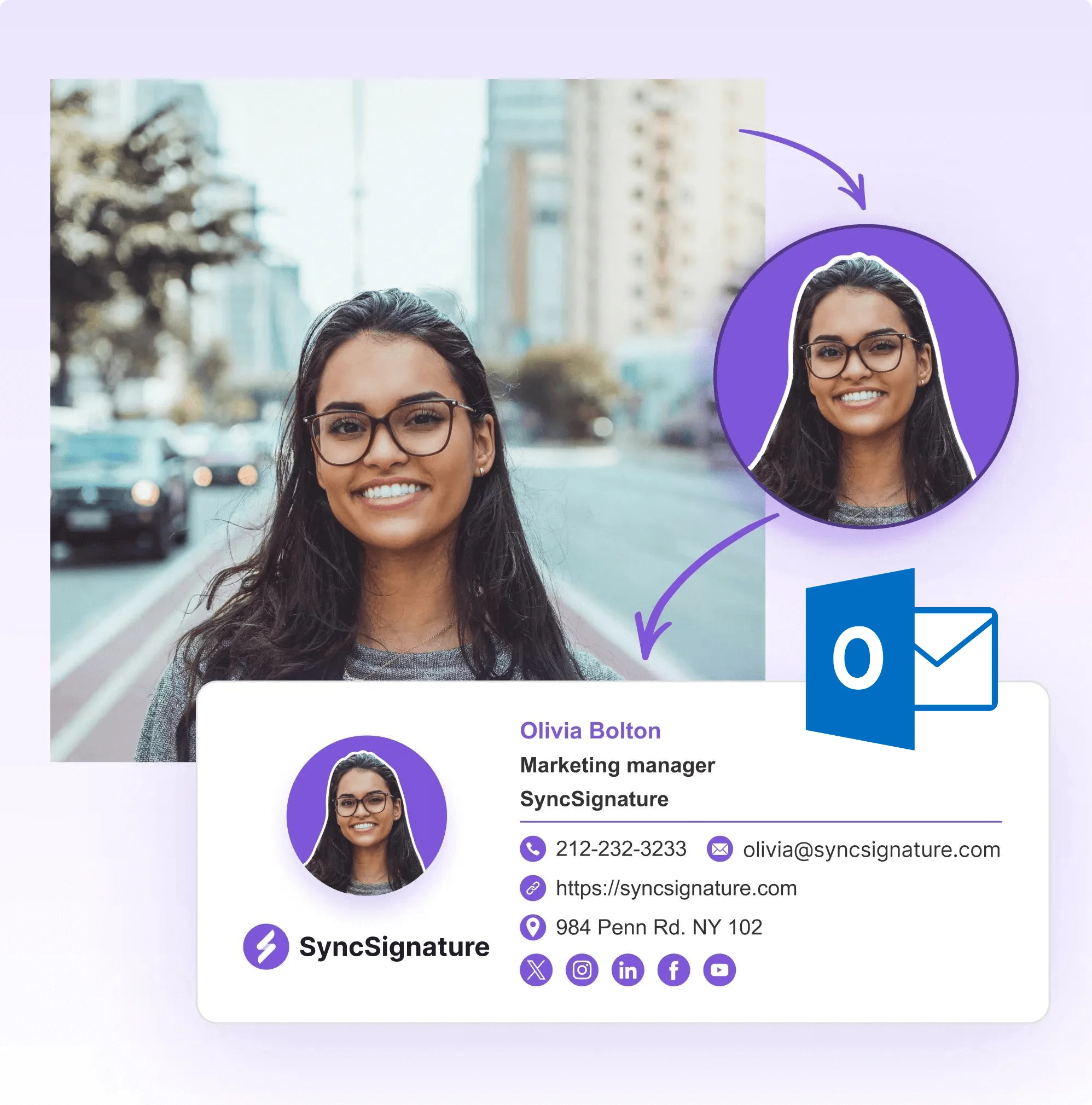
SyncSignature connects to Microsoft Entra ID (Azure AD) for directory sync and deploys signatures to Outlook accounts across Outlook on the web, Outlook desktop (Windows and Mac), and the Outlook mobile app. Full details: Office 365 email signature management.
Cross-platform organizations
Many companies use both Google Workspace and Microsoft 365 across different teams or subsidiaries. SyncSignature manages both from the same dashboard without needing separate tools.
What Our Customers Say About SyncSignature





It makes managing email signatures for the whole team fast and centralized. I don't like chasing people to update their signature. Changes apply automatically. Integration with Google Workspace works without issues.

Alexander B.
Marketing Director
As someone managing multiple businesses using Google Workspaces for emails, having a comprehensive email signature management tool is essential, and SyncSignature has already proven to be the ideal solution.

Christophe
Founder - AI services
Frequently asked questions
Email signature management software is a tool that lets organizations centrally create, deploy, and update email signatures for all employees. Instead of relying on individual employees to set up their own signatures, IT or marketing teams design templates, connect an employee directory, and push signatures to the entire organization from a single dashboard.
The best tool depends on your organization's size, email platform, and requirements. SyncSignature is built for teams on Google Workspace and Microsoft 365 who need centralized management with directory sync, group-based templates, banner campaigns, and analytics. It starts at $2/user/month with no enterprise minimums. For comparison, Exclaimer and CodeTwo are enterprise-focused tools with server-side deployment, and WiseStamp offers a browser extension-based approach.
Without centralized management, email signatures drift: outdated job titles, broken images, missing disclaimers, inconsistent formatting, and employees who never update their signature. For companies with more than a handful of employees, managing signatures manually becomes an ongoing burden on IT. Email signature management software eliminates this by centralizing control and automating deployment.
Email signature software connects to your organization's email platform (Google Workspace or Microsoft 365) and employee directory. Admins design signature templates with a visual editor, assign them to teams or departments, and deploy signatures to all users through the platform's native API. When employee details change in the directory, signatures update automatically.
Yes. SyncSignature works natively with both platforms. For Google Workspace, it uses the Gmail API and Google Directory sync. For Microsoft 365, it uses Microsoft Graph and Entra ID sync. Organizations that use both platforms can manage everything from one dashboard.
No. SyncSignature writes signatures directly to user email accounts through platform APIs. Your emails never pass through SyncSignature's servers. This is different from legacy tools like Exclaimer and CodeTwo that use server-side injection and route your email traffic through their infrastructure.
Yes. SyncSignature supports group-based signature assignment. Create different templates for Sales, Marketing, Legal, Support, or any custom group. Assign templates based on department, role, location, or custom attributes from your directory. When employees change teams, their signature updates automatically.
Neither Google Workspace nor Microsoft 365 provides a native way to lock individual email signatures. SyncSignature addresses this by regularly re-syncing signatures, overwriting any manual changes employees make. This ensures the company-approved signature is always in place.
Yes. SyncSignature supports clickable banner campaigns in email signatures. Add promotional banners, schedule campaigns to activate and deactivate automatically, and track clicks through built-in analytics. For organizations sending thousands of emails daily, this is one of the highest-ROI marketing channels available.
Yes. SyncSignature offers multi-workspace management for agencies. Each client gets an isolated workspace with separate templates, directories, and branding. Switch between clients from one dashboard without logging out.
SyncSignature signatures render correctly across Gmail (web and mobile), Outlook (desktop, web, and mobile), Apple Mail, and other standard email clients. Signatures are deployed through platform APIs, so they work on all devices without requiring employees to install anything.
SyncSignature's Solo plan is $6/month. The Team plan starts at $2/user/month with volume discounts reaching $1.40/user/month for 100+ users. The Agency plan has custom pricing. All plans include the full feature set with no feature gating behind enterprise tiers. View pricing.
Yes. SyncSignature offers a free trial with all team features included. Create your account, connect your directory, design your templates, and test deployment before upgrading to a paid plan.
Most teams are fully set up within 15 to 30 minutes. Connect your email platform, import users from your directory, customize a template, and deploy. No DNS changes, no SMTP configuration, and no mail rerouting setup required.
Yes. SyncSignature only accesses directory information and signature settings required for the service to function. We never read or store email content. User data is stored on AWS infrastructure with TLS encryption, and inactive accounts are scheduled for periodic deletion.
Start managing email signatures for your team
Sign up free and deploy professional, on-brand email signatures across your entire organization. Set up takes minutes, not hours. No credit card required.